The Settings Every L1800 DTF Printer Needs Before Its First Print: Driver, Port, Paper Check, Colour, White, Margin
Published 26 January 2022
This is the video I made so I could stop repeating it on the phone: the settings a freshly converted L1800 needs before the first sheet goes in. Filmed at a customer's installation in January 2022 with the customer asking questions off camera. Driver, port, paper check, dot size, colour, white, margin, then a flat-paper test and the first print. The L1800 is gone but every one of these applies to the L18050 on AcroRIP 11.2.
What the video shows
- 0:02 — Printer installed: check the print queue for stuck jobs
- 0:30 — Remove unlicensed antivirus; Windows Defender is enough
- 0:56 — Driver: 1390 / 1400; port L1800 for sheet, ZigRoll for roll
- 1:25 — Paper size check: off; dot size medium + large
- 2:05 — Colour: profile at 70 and 100; up to 200, never over 150
- 2:32 — ICC profile: off, inks are matched to AcroRIP
- 2:50 — White: 100 percent or gradient under any coloured pixel
- 3:38 — Border on the print? Choke 2 px
- 4:08 — Files on the PC, not a pen drive or share
- 4:28 — Mirror in layout; 0.5 inch top margin on sheets
- 5:02 — Print colour and white; or colour only for light garments
- 5:53 — Flat paper test: tray and printer on one plane
- 6:50 — Matte side up; sheet printer prints directly
- 7:25 — First print: head may need one clean; close the tanks
Before AcroRIP
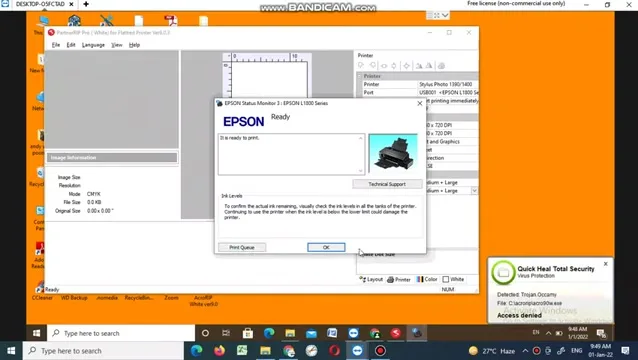
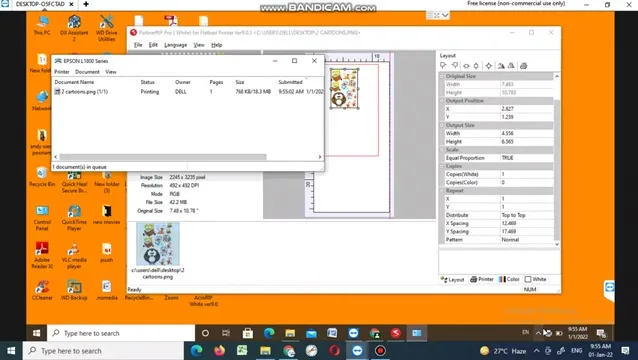
Double-click the printer in Windows and check the queue; a stuck job is the most common reason nothing prints. If the PC has an unlicensed antivirus, remove it; it will block the RIP and the driver, and Windows Defender is enough. Keep design files on the PC, not on a pen drive or shared drive.
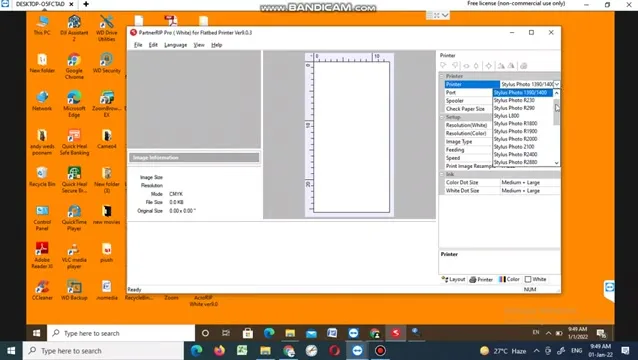
Printer panel
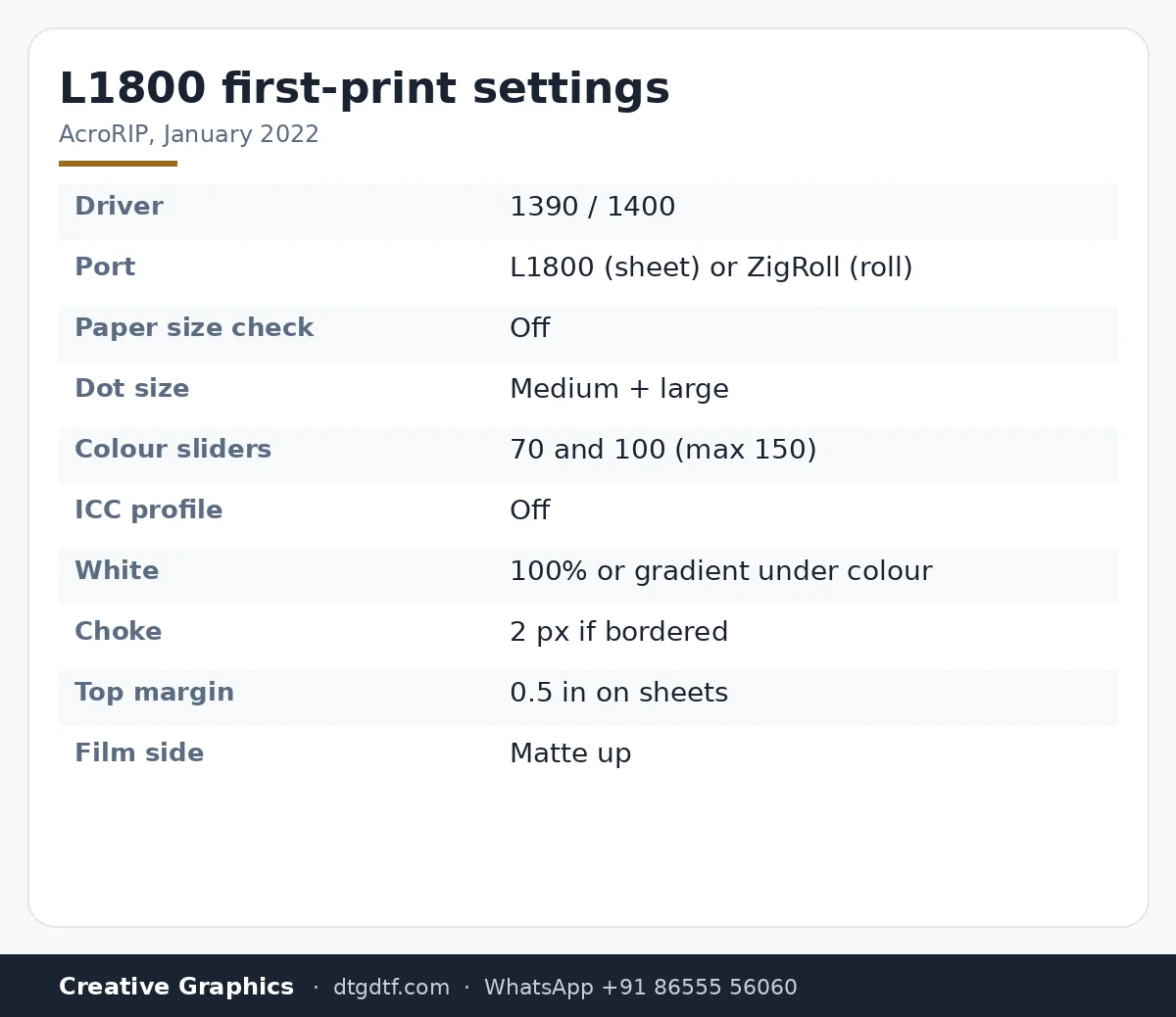
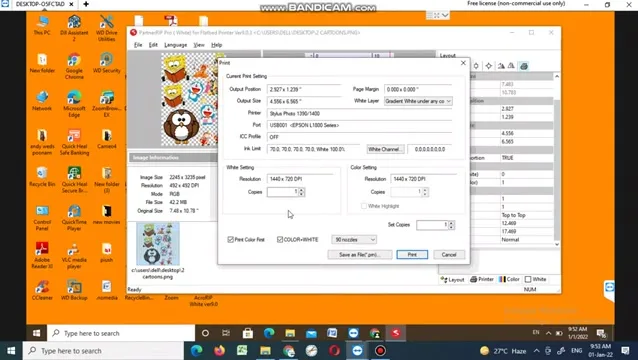
Driver: select 1390 / 1400 for the L1800 or L805, same thing. Port: L1800 for sheet printing, ZigRoll if you have the roll setup. Paper size check: off, always. Dot size: medium plus large to start; try others later.
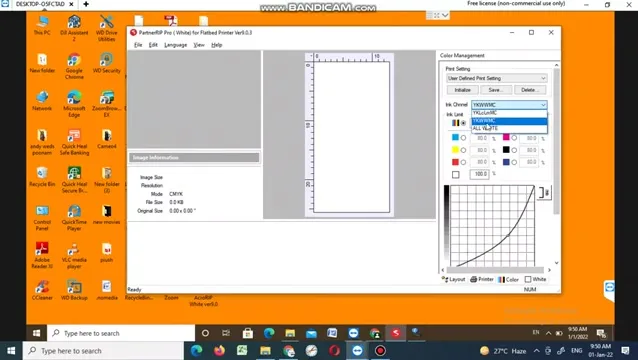
Colour and white
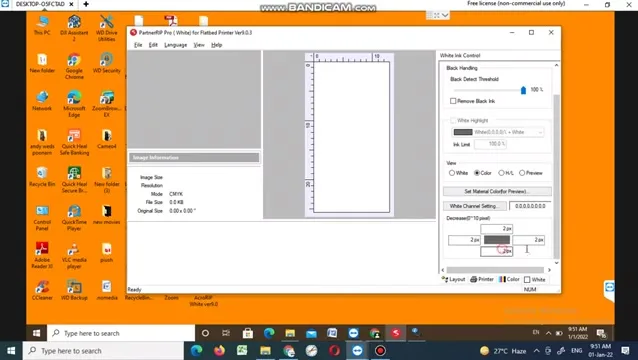
In Colour, pick the standard profile and use the two sliders for brightness: 70 and 100 is where we start. You can raise the second up to 200 but do not go past 150. ICC profile off; the inks are matched to AcroRIP already. White: 100 percent under any coloured pixel for solid graphics, gradient white for halftone images with many shades. If the print shows a white border, raise the choke to 2 px; it reduces the area of white, not its volume.
Layout and print
Drag the file in, mirror it in Layout, keep half an inch of margin from the top on sheets (on roll you need none). Print with both colour and white ticked; for white or light tees set white copies to zero and colour to one. Before the first sheet: put a plain paper in, press the paper button, and check it comes out flat; the delivery tray and the printer must be on one plane. Film goes in matte side up; if you cannot tell, tilt it to the light. On a sheet printer the job goes straight to the printer; with ZigRoll you manage it from there.
Today
Same settings, newer software: AcroRIP 11.2 on the L18050, with the extra step of setting ink channels. Software: DTF RIP 11.2; printer: converted L18050. If the first print is weak at the top, see print not proper in the beginning.
Frequently asked questions
Which driver for the L1800 or L805 in AcroRIP?
Stylus Photo 1390 / 1400. Port L1800 for sheet, ZigRoll for roll.
What colour settings to start with?
Profile sliders at 70 and 100. Never above 150. ICC off.
100 percent white or gradient?
100 percent for solid graphics; gradient for halftone images with many shades.
Why is there a white border on my print?
Raise the choke to 2 px; it shrinks the white area under the edges.
How much top margin?
Half an inch on sheets. None on roll.
The first print is faint?
Normal on a new conversion: run one head clean and close the tanks. Dampers need to fill.
Related guides
Installing yourself?
Send a screenshot of your AcroRIP printer panel on WhatsApp and I will check it against this list.
WhatsApp +91 86555 56060More videos: Epson L18050 / L8050 DTF conversion
- Epson L18050 and L8050 Converted to DTF: The Honest, Uncut Review
- Epson L18050 DTF Without Tape: PE/PW Bypass Module, Dampers, Capping and a Live Print
- L18050 Roll Conversion Kit: ASF and PE/PW Bypassed, Forward-Reverse Film Control
- Epson L18050 DTF Conversion, Step by Step: The Complete 38-Minute DIY Guide
- Our Converted L18050 DTF Printer: What We Modify, How You Maintain It, and Who Should Buy It
- Real Facts About the DTF-Modified Epson L805 and L1800: Is This Business for You?