First Print of the Morning Comes Out Faint? Add a CMYK Strip Above the Design and the Problem Is Gone
Published 14 October 2021
You start the printer in the morning, send the first job, and the top of the print is wrong: white is light, magenta is missing, then halfway down everything is fine. Every Epson does this, converted or not. The ink sitting in the dampers overnight has not mixed, and the first few centimetres print with whatever was at the nozzle. You cannot stop it. You can make it land on a strip you throw away. Three minutes.
What the video shows
- 0:12 — The problem: colour not proper at the start of the print
- 0:38 — Not a defect: every Epson printer does it
- 0:50 — No magenta at the top; the printer missed it
- 1:04 — Why: overnight, inks in the head and dampers are not mixed
- 1:24 — Cannot avoid it; can bypass it; once each morning
- 1:33 — The file in CorelDRAW
- 1:56 — Add a black strip above the image; export
- 2:29 — Better: a CMYK patch row so every damper fires
- 3:01 — A premium-channel video, now public; DIY
What you see
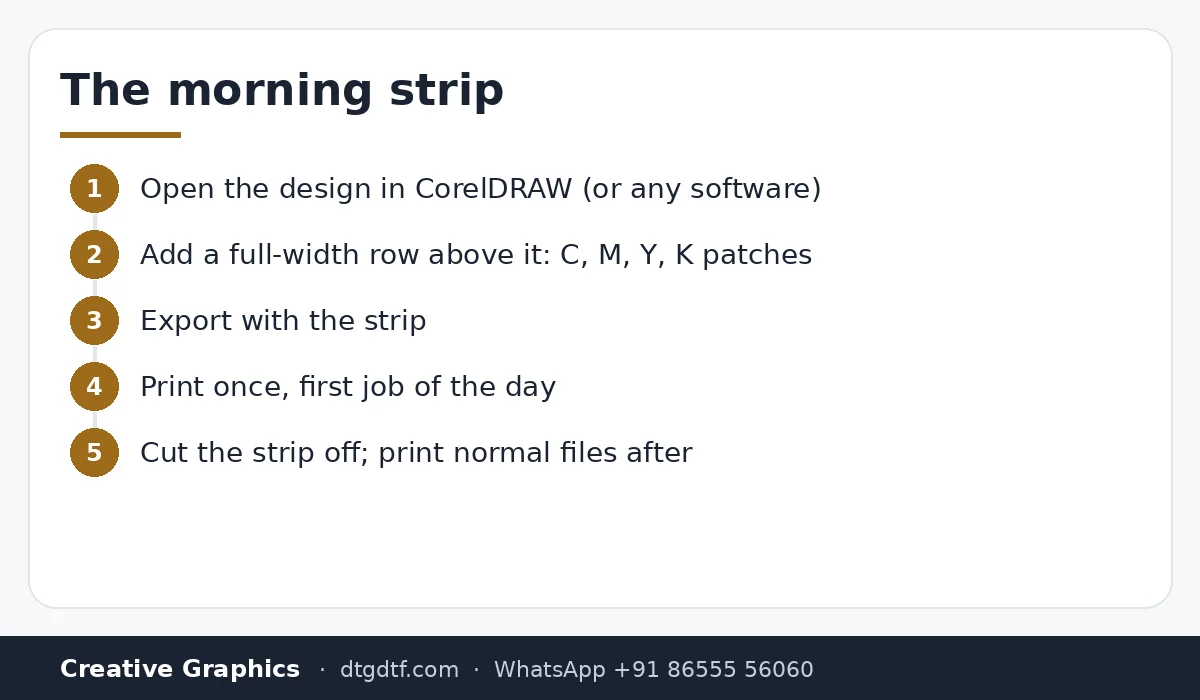
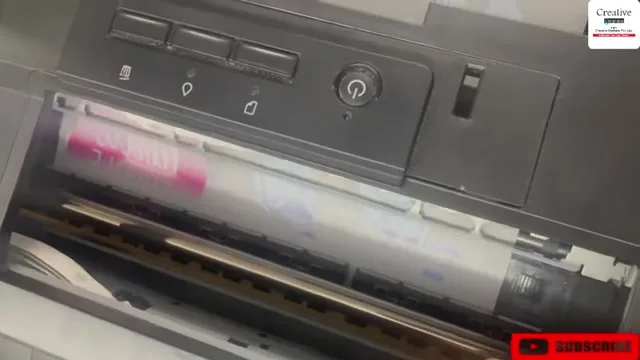
The first print of the day starts weak. White is light for the first inch or two; in the video a magenta area simply did not print at the top. Further down the sheet it is correct. It is not a head fault and not a damper fault, though weak dampers make it worse. It is overnight settling.


Why
Ink in the dampers and the head sits all night. Pigment settles, a little air gathers, and the first pass prints whatever is at the nozzle until fresh ink arrives. That is why the problem is only at the start and only on the first job.
The fix
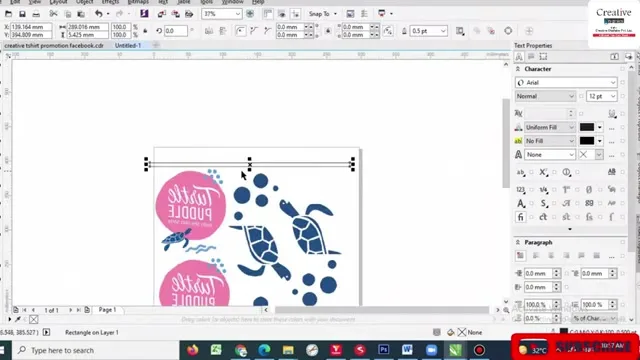
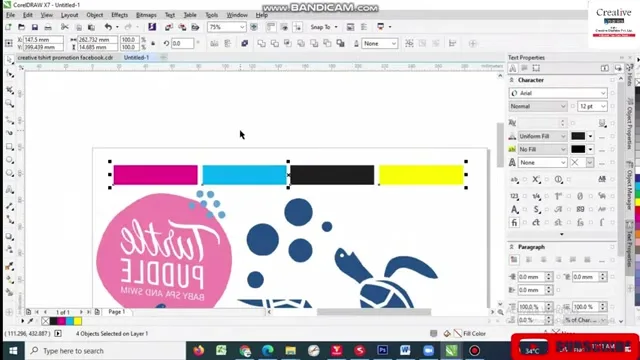
Open the file in CorelDRAW. Draw a strip above the image, the full print width. Black works. Better: four patches, cyan, magenta, yellow, black, so every damper fires before the design starts. Export the file with the strip and print it once in the morning. The strip takes the bad ink, the design gets the good ink, and you cut the strip off. After that first job, print the normal file for the rest of the day.
Then and now
This was one of the premium-channel videos for customers, made public so I stop getting the call. It still applies to the L18050 and L8050. If the faint area is long or appears on every job, the problem is not settling: see white ink troubleshooting, the manual flush, and consider new dampers.
Frequently asked questions
Why is the first DTF print of the day faint at the top?
Ink in the dampers and head settles overnight. The first centimetres print before fresh ink arrives. Every Epson does it.
How do I fix it?
Add a CMYK patch row above the design in the file, print it once in the morning, cut the strip off.
Is it the head?
No. If the fault is on every job or runs long, then look at dampers, ink or head.
Does this apply to the L18050?
Yes, and to the L8050.
Faint on every job, not just the first?
Send a photo on WhatsApp. That is a different problem and we will tell you which.
WhatsApp +91 86555 56060More videos: Print heads, dampers and spares
- White Not Printing After a Few Days Off? Manual Head Flush and Metal-Mesh Dampers on the L1800 / L805
- Replacing the L18050 Manifold and Dampers With XP600 Parts, and Cleaning the Head by Hand: 30 Minutes, Uncut
- Manual Head Cleaning on the Epson L18050: Pull the Ink Out First, Then Push Solution In, One Damper at a Time
- Scratches Over Your DTF Print? Clean the Head Area, Then Fix Where the Film Lands
- Both Lights Blinking Red on the Epson L1800 or L805? Reset the Waste Ink Pad Counter in Three Minutes
- Fitting a White Ink Circulation System on an L1800 Yourself: Y-Connector, Two Pipes, and How to Run It Every Morning