Epson L18050 and L8050 Converted to DTF: The Honest, Uncut Review
Published 13 August 2023
This 13-minute video has been watched over 4 lakh times because it does something most printer videos avoid: it prints live, uncut, and tells you what goes wrong. It was filmed when the Epson L18050 and L8050 had just launched in India as the replacements for the L1800 and L805. Below is the video and every point it makes, in plain English, with today's prices.
What the video shows
- 0:01 — L18050 and L8050: the new alternatives to the L1800 and L805
- 0:38 — The real difference is the head and head assembly
- 0:54 — Why you should not convert these printers yourself
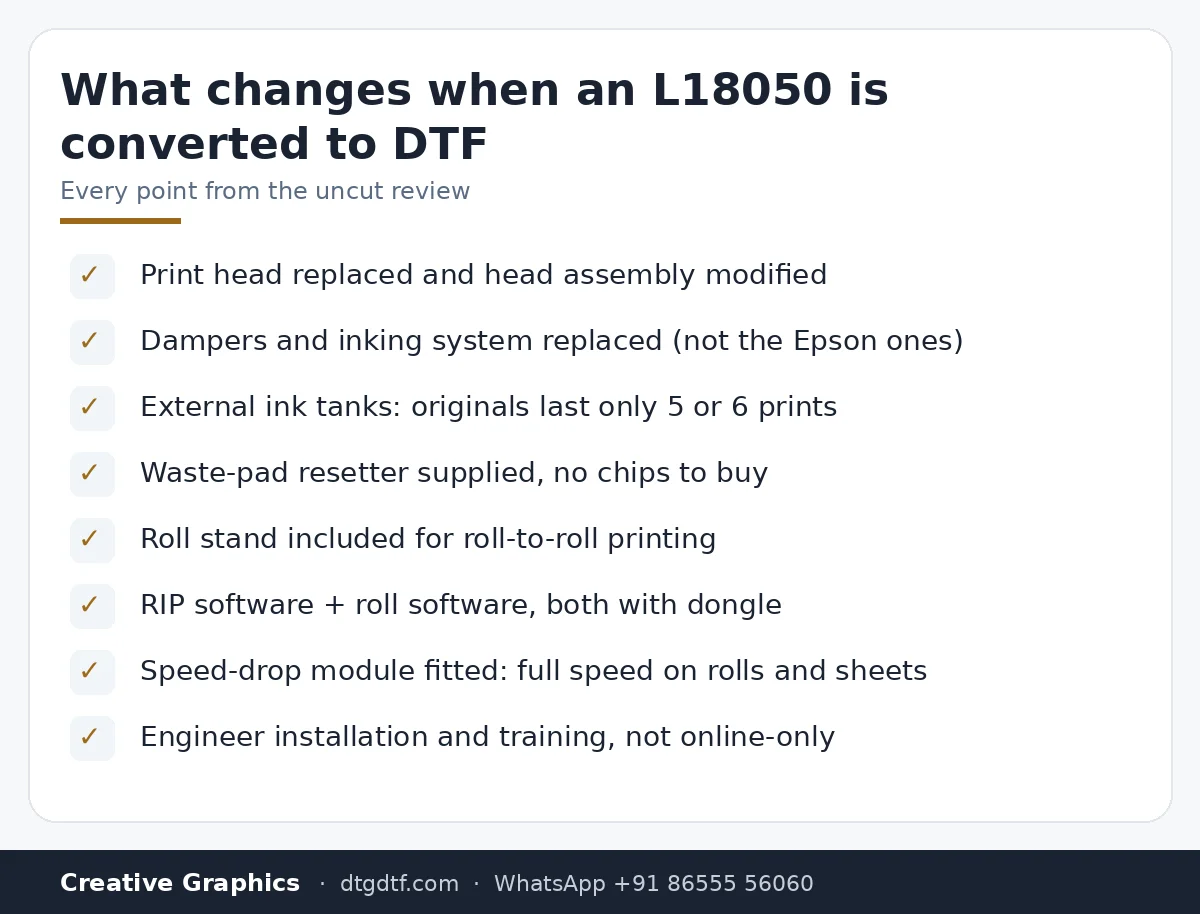
- 1:36 — External ink tanks: the original tanks last 5 or 6 prints
- 2:08 — Waste pad problem and the resetter we supply
- 2:45 — Roll stand included; powder shaker not recommended on small printers
- 3:17 — Pre-booking, pan-India dispatch, engineer installation
- 4:30 — RIP software and roll software, both with dongle
- 5:43 — 720 dpi vs 1440 dpi: where the lines come from
- 6:21 — Why you do not need a vacuum on this printer
- 7:34 — Speed-drop module: full speed on rolls and sheets
- 8:33 — Curing, inks and film decide DTF quality
- 9:00 — L8050 can be converted for roll sublimation too
- 10:34 — Second print at a different size; speed check
- 12:32 — Sublimation is not for cotton
Two new Epson printers, one real difference
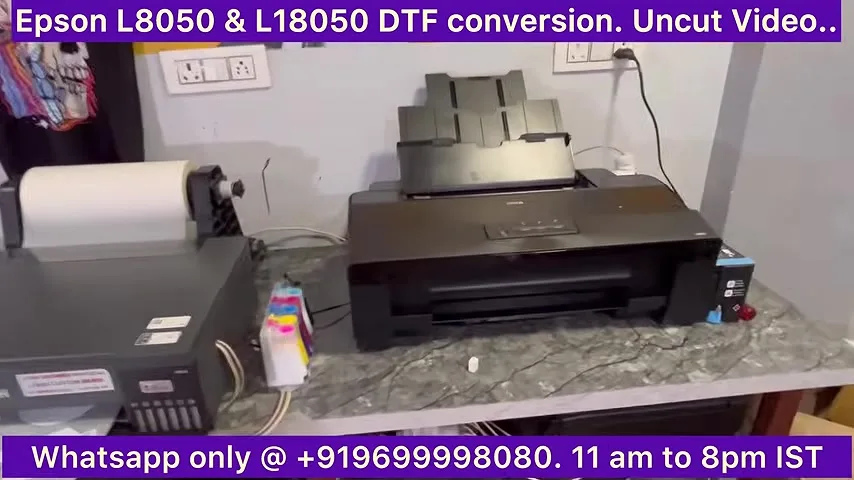
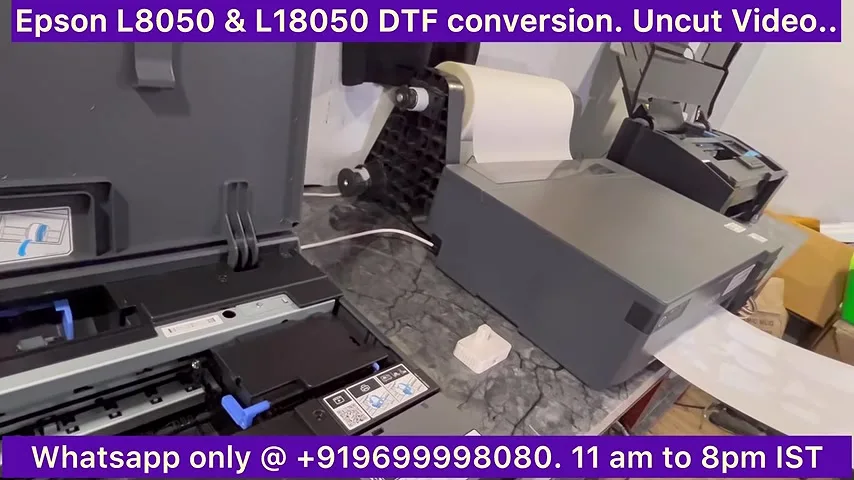
The video opens with both machines on the bench: the L18050 (A3+, the successor to the L1800) and the L8050 (A4, the successor to the L805). The point made first is the one that matters most: the difference between these and the older models is the print head and the head assembly. The L1800 used one style of dampers and assembly; the L18050 and L8050 use another. In DTF you change inks and dampers often, so the assembly has to be customised before the printer can be used for DTF at all.
Do not convert these yourself
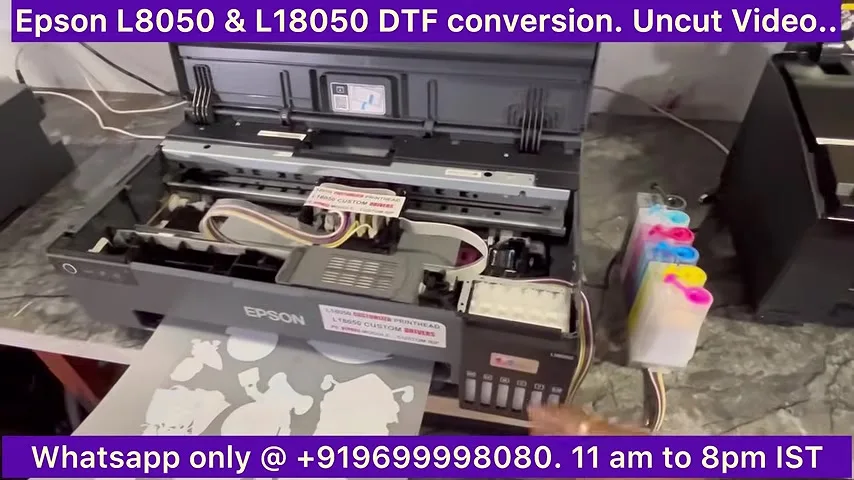
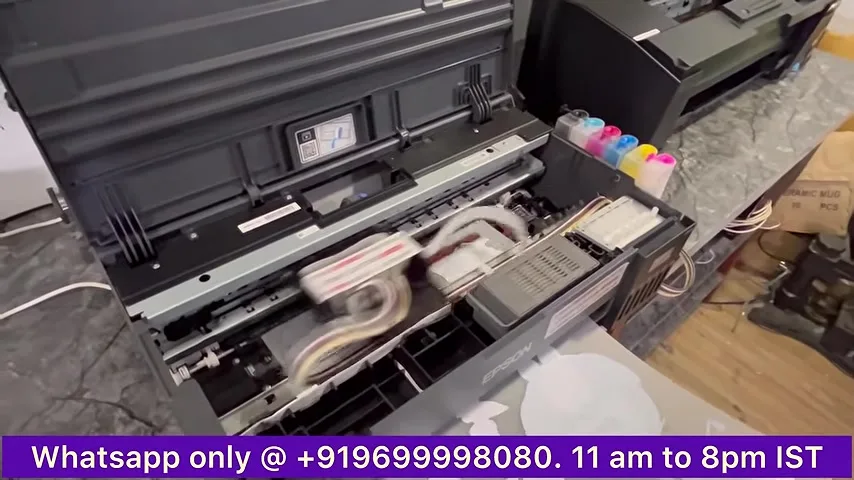
The video is direct about this. People who bought these printers two or three months before the recording, removed the rollers and started printing DTF on their own, were already facing problems. That is why the sale was delayed: without the right head work, drivers and software, even we could not sell the printer responsibly. The conversion shown here replaces the head, changes the dampers, moves the ink supply outside and uses custom drivers plus a different RIP.
External ink tanks
The original Epson tanks are not used. They are too small for DTF: the video puts it at five or six prints before they run dry. The converted printer has a separate external tank set with its own lines and dampers, so you print rolls without stopping to refill.
The waste pad problem, solved with a resetter
On these printers the waste ink pad counter fills up and the printer stops. In DTF you clean the head often, so the counter fills quickly. Buying a new chip every time is not practical, so the printer ships with a waste pad resetter. No chips to buy, ever. The resetter is also sold separately for people who already own the printer: Resetter for L18050 / L8050.
Roll stand included, powder shaker not recommended
A roll stand comes with the printer so you can print roll to roll. We use the same smooth stand that ships with our large Chinese machines, and a DIY stand is also an option. The video advises against attaching a powder shaker to a small printer like this: a shaker makes sense with a bigger machine, not here.
How it is sold: engineer installation, not a video call
Unlike the L1800, this printer is not sold as an online-only, install-it-yourself product. An engineer comes to demonstrate, install and train. The reason is the amount of customisation: head, drivers and RIP are all different from stock, and the video says plainly that selling it without that support would create the same problems the early self-converters had.
Software: RIP with dongle, roll software with dongle
The printer ships with a RIP that has a hardware dongle and a roll-printing software that also has a dongle. At the time of the video nobody else was supplying a dongle-based roll solution with this printer. Today the roll software is sold on its own as ZiggRoll V4, and the free gang-sheet tool DTF Powerhouse runs alongside it.
720 dpi vs 1440 dpi
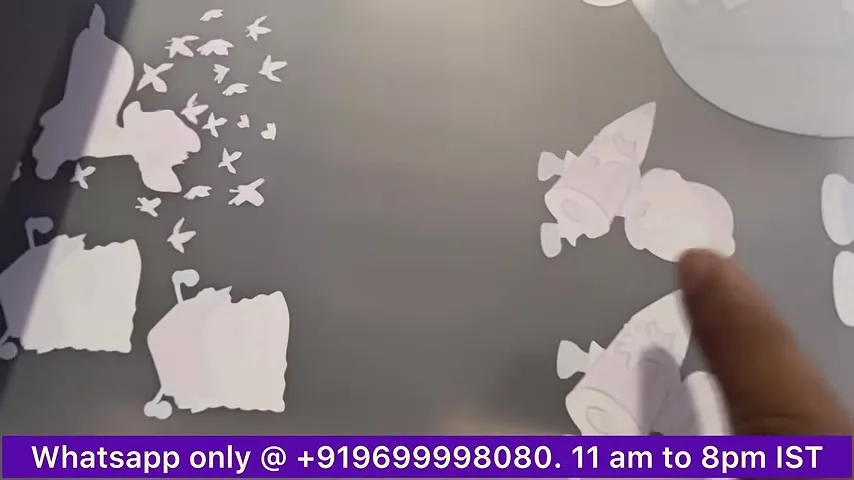
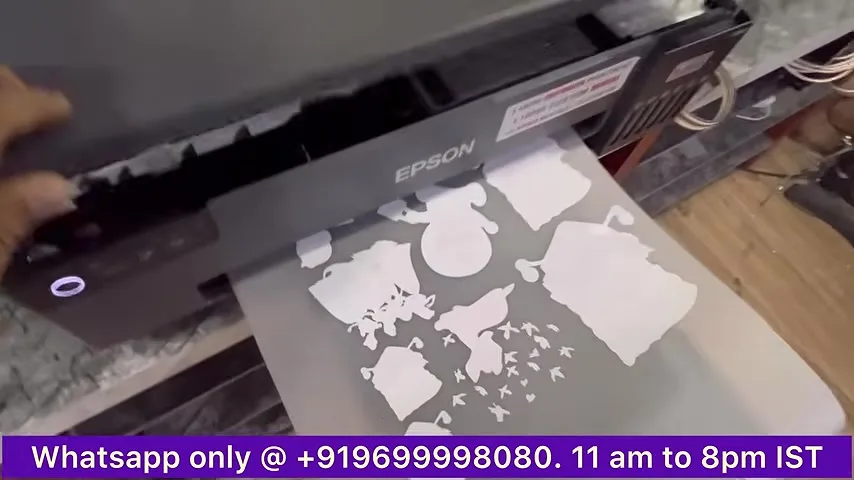
The first test print in the video was made at 720 dpi and shows faint lines. The same file at 1440 dpi, the standard setting, prints clean. A 12 by 18 inch print takes about six minutes at the standard resolution. The video shows both sheets side by side so you can see the difference yourself.
You do not need a vacuum
This is the part people quote back to us. The printer's rollers push the film out as the head moves; a vacuum bed pulls the film down at the same time, so the two fight each other. The advice in the video is to use attachments only when they are necessary, and that with this printer a vacuum is never necessary. Selling one with it is described as a sales tactic.
Speed-drop module
Early self-converted printers had a known complaint: print speed falls after a while, especially on rolls. The converted printer has a module fitted so speed stays constant on rolls and sheets. That module is now a separate product for existing owners: IVFO Speed Drop Module.
What decides DTF quality
The video is blunt: DTF is about proper curing, good inks and good film. It also shows a practical habit: cut the printed sheet off before it hangs, because a sheet that does not exit cleanly changes the head-to-film distance and the head starts scratching the print.
L8050 for roll sublimation
If you want the A4 L8050 for sublimation rather than DTF, we convert it for roll sublimation as well. The video ends with a reminder that sublimation does not work on cotton, a question we were asked daily at the time.
Price in India today
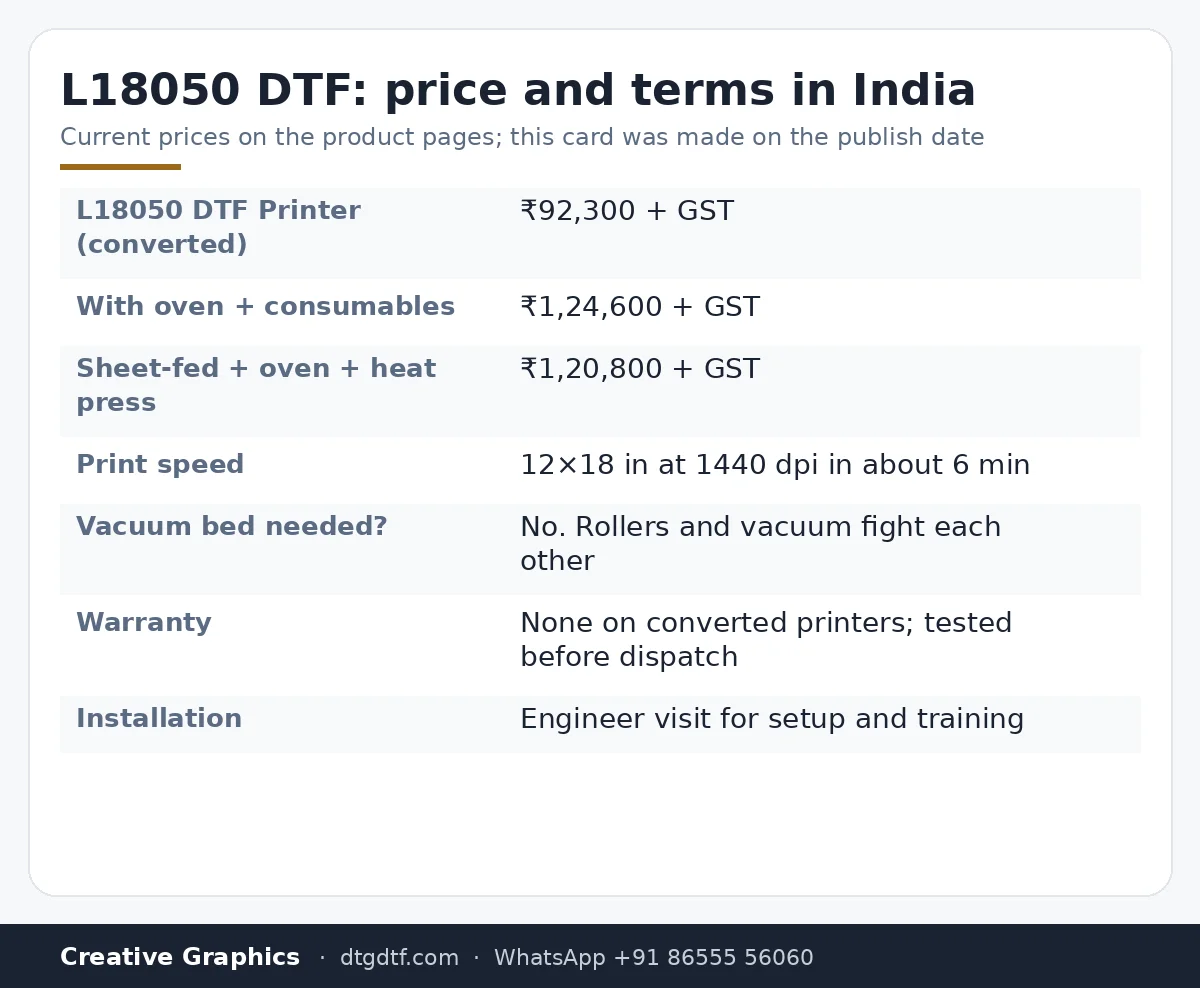
- L18050 DTF Printer (converted, with roll stand, RIP and roll software): ₹92,300 + GST
- L18050 DTF Printer + Oven + Consumables: ₹1,24,600 + GST
- Sheet-fed L18050 + Oven + Heat press: ₹1,20,800 + GST
Converted printers are sold without warranty. Every unit is test-printed before dispatch and shipped with training. If you want a warranty and a machine built for DTF from the factory, see the dedicated DTF printers instead.
Frequently asked questions
Can I convert my own L18050 to DTF?
The video's answer is no. The head assembly, dampers, ink supply, drivers and RIP all have to change. People who removed the rollers and started printing on a stock printer were already facing problems within months.
Does the converted L18050 need a vacuum bed?
No. The rollers push the film out while a vacuum pulls it down, so they work against each other. The video calls the vacuum a sales tactic for this printer.
How fast does it print?
About six minutes for a 12 by 18 inch print at the standard 1440 dpi setting. A speed-drop module keeps that speed on rolls and sheets.
Why does my print show lines?
In the video the lines appear at 720 dpi. The same file at 1440 dpi prints clean. Proper curing, good inks and film matter as much as resolution.
What about the waste ink pad?
It fills fast in DTF because of frequent head cleaning. A waste pad resetter ships with the printer, so you never buy a chip.
Is installation included?
An engineer visits to demonstrate, install and train. This printer is not sold as an online-only, self-install product.
Is there a warranty on a converted printer?
No. Converted Epson printers carry no warranty. Each unit is test-printed before dispatch. Dedicated DTF printers come with a one-year mainboard warranty.
Related guides
- DTF Printer Buying Guide — What to Look For (and Avoid) in India
- Best DTF Printer in India (2026) — Honest Comparison
- Starting a DTF Printing Business in India — Real Cost Breakdown
- Why Do DTF Prints Peel After Washing? Real Fixes
Want to see it print before you buy?
Book a live demo at Nerul, Navi Mumbai, or send your artwork and we will print it on the L18050 and share a video.
WhatsApp +91 86555 56060