Epson L18050 DTF Without Tape: PE/PW Bypass Module, Dampers, Capping and a Live Print
Published 8 November 2023
This is the long one: nearly 20 minutes, uncut, 1.8 lakh views. It was recorded in November 2023 to settle a question that filled our WhatsApp every day: can the Epson L18050 print DTF sheets without taping the leading edge, and without the print speed dropping? The answer is yes, with the right modules, and the video shows every part, every mistake and a sheet printed from start to finish.
What the video shows
- 0:00 — The best desktop DTF printer, November 2023: Epson L18050
- 0:11 — No tape, no speed drop: what the modules do
- 0:23 — Must-haves: manifold, dongle, IVFO module, custom CISS tank, dampers
- 1:06 — Everything shown is tested in our unit; live demo welcome
- 1:57 — AcroRIP: why the Chinese copies crash and what we supply
- 2:26 — Dampers, capping station, dongle and resetter
- 3:10 — PE and PW sensor bypass: feed sheets without tape
- 3:41 — Head clean first; keep the waste tank at ink-tank level
- 4:25 — Why the video is live: prints happen on camera
- 6:11 — 720 dpi print; keep the ink tank tabs open
- 6:48 — Use custom dampers, never the originals
- 7:08 — The 12 V desi oven that bakes the prints
- 7:42 — First print: why the white looks weak after a fresh fill
- 8:20 — Removing the screws: how the module mounts
- 10:39 — Powder, bake, and a second sheet on cheap one-side glossy film
- 12:42 — White ratio raised; A3 print in a few minutes
- 13:24 — Speed drop and the IVFO module
- 14:05 — Do not ask the price in comments: website or WhatsApp
- 14:41 — Use good inks: ours are Korean, not Chinese
- 15:44 — 60 to 80 sheets a day; this is not an industrial printer
- 17:06 — Second print on a scratched test sheet
- 18:37 — We ship worldwide by DHL; the modules are ours
The problem this video solves
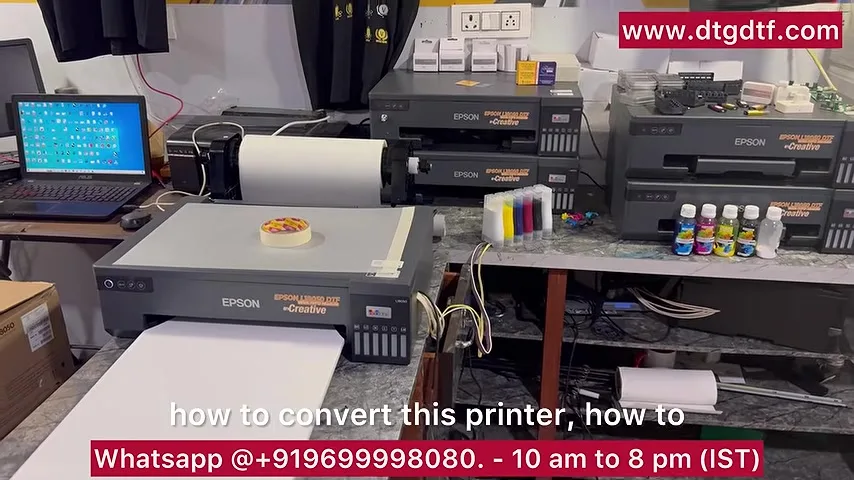
A stock L18050 has two sensors in the paper path: PE, the paper-end sensor, and PW, the paper-width sensor. DTF film is transparent, so the sensors do not see it. People tape a strip of paper to the leading edge of every sheet to fool them, which is slow and leaves tape marks. The video opens by saying: no tape, no speed drop, and then proves it by feeding a plain, untaped sheet of cheap film and printing on camera.
The must-have list
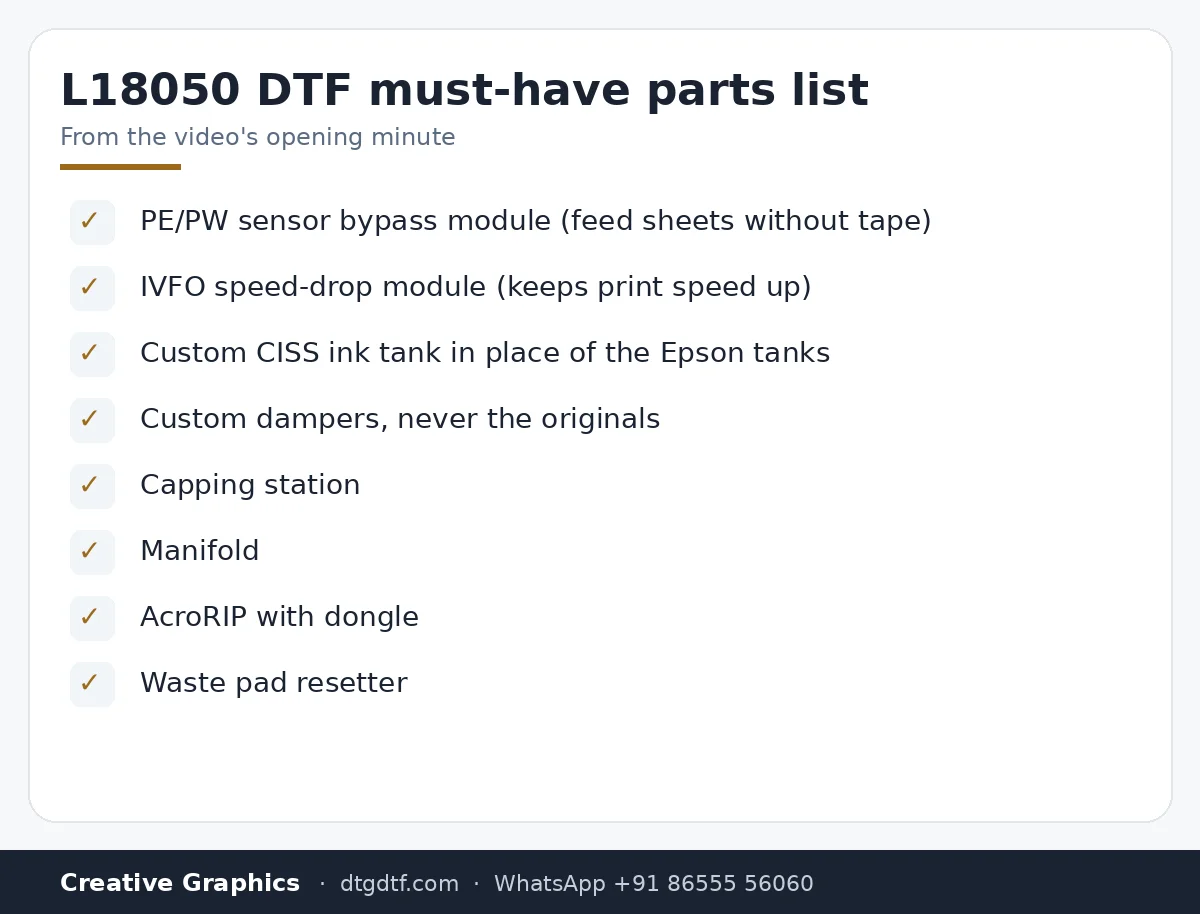
The video lists what an L18050 needs before it can do DTF properly: a manifold, the RIP dongle (any colour or shape, the video says, as long as it works), the IVFO speed module, a custom CISS ink tank in place of the original tanks, and custom dampers. It adds a capping station and a waste pad resetter a minute later. All of these are sold as parts today:
- PE/PW sensor bypass module for L18050
- IVFO speed-drop module
- XP600 / i3200 damper set of 6
- XP600 manifold
- Resetter for L18050 / L8050
- DTF oven A3+ (14 by 22 inch)
AcroRIP and the dongle
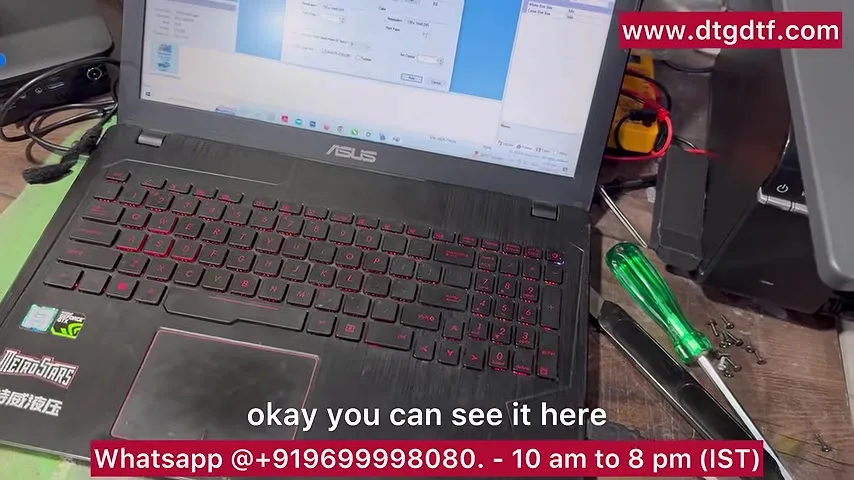
To print DTF on the L18050 you need AcroRIP. The video points out that copies bought from China were crashing or minimising on their own, so we supply a tested setup with a dongle. The same advice holds for any RIP: the software is half the printer.
Feeding sheets without tape
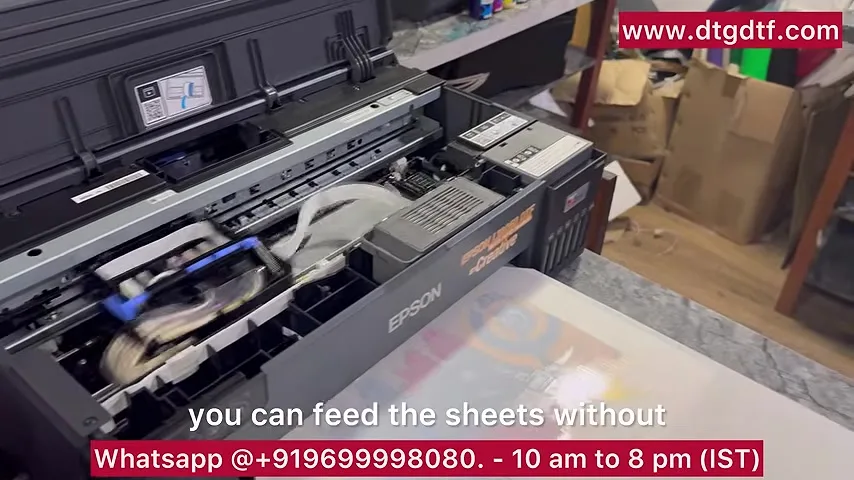
With the PE/PW module fitted, the printer accepts a sheet of film with nothing taped to it. The video shows the sheet going in, the head cleaning first, and the print starting. It also shows that the printer will begin printing even if no sheet is fed, which is how you know the sensors are being simulated rather than fooled. People call the module a simulator; that is what it is.
Small things that change the result
- Head clean before the first print. The first sheet in the video has weak white because the inks had only just been charged; the second sheet is right.
- Keep the waste tank at the level of the ink tank, not below it, during head cleaning.
- Keep the ink tank tabs open. The video says ink flow is visibly better with the tabs open.
- Use custom dampers. The original Epson dampers cannot be replaced once they clog; the custom ones can.
- A 12 V mini oven, the desi oven, is enough to bake these sheets.
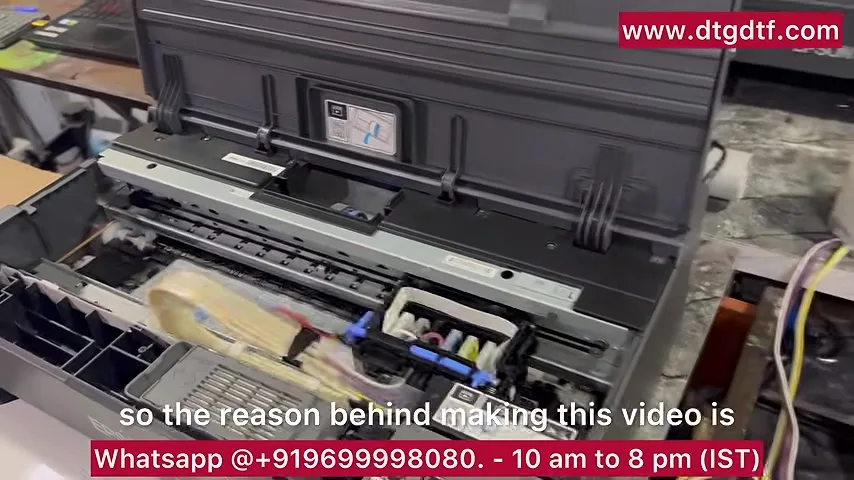
Mounting the module
Halfway through, a colleague removes the screws on camera and shows where the module sits and which cables go where. Buyers get a DIY guide with the cable mapping. The front tray is bypassed as well. The video calls it easy, and the footage backs that up.
Powder, bake, second sheet
After the first print: hotmelt powder, then the oven. The second sheet is deliberately a cheap, one-side-glossy, two-layer film to show that the printer still produces a clean result, while making the point that film quality is proportional to what you spend. The white ratio is raised in the RIP between the two prints (it started at CMYK 50, white 40), and an A3-size print lands in two to three minutes at low resolution.
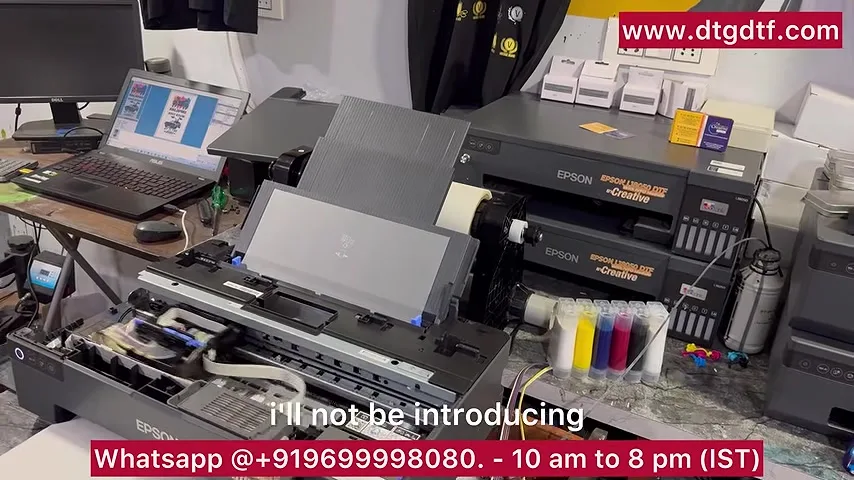
Speed drop and the IVFO module
The known L18050 complaint is that print speed falls over time. The fix is the IVFO module. The video does not open it up because it is our own patented part, but it is clear that without it the speed drop will come. It is sold on its own for existing owners: IVFO speed-drop module.
Inks, and who this printer is for
Two blunt points from the video. First, use good inks: ours come from Korea, not China, and the dongles you see on Alibaba are not the same thing. Second, the L18050 has an industrial-class XP600 head and will do 60 to 80 sheets a day, but it is not an industrial printer. The carriage motors and everything else are different on a big machine, where the head alone costs about what this whole printer costs. If 20 to 50 t-shirts a day is your business, this printer is a good start. If you already know you will do more, buy a dedicated DTF printer.
Price and where to buy
The video refuses to put a price in the comments for a reason: whoever watches it two years later would see a wrong number. The same applies here. Current prices are on the product pages: L18050 DTF printer (converted, ₹92,300 + GST today) and the individual modules linked above. We ship worldwide by DHL. Converted printers and modules are sold without warranty; every unit is tested before dispatch.
Frequently asked questions
What do PE and PW mean on the L18050?
PE is the paper-end sensor and PW is the paper-width sensor. Transparent DTF film does not trigger them, so without a bypass module you must tape paper to each sheet.
Does the bypass module slow the printer?
No. Speed drop on the L18050 is a separate issue, solved by the IVFO module shown in the same video.
Can I use the original Epson dampers for DTF?
The video says no. Originals clog and cannot be replaced; custom dampers can be changed as a consumable.
Which RIP do I need?
AcroRIP with a dongle. Copies from China were crashing in 2023, which is why we supply a tested setup.
How many sheets a day can the L18050 do?
60 to 80 sheets a day in the video's experience, at desktop-printer pace. It is not an industrial machine.
Do you ship outside India?
Yes, by DHL. The modules are manufactured by us; the rest of the parts can be bought online from any good supplier.
Is there a warranty?
No. Converted printers, modules and spares are sold without warranty. Everything is tested before dispatch, and the video itself is a live test.
Related guides
- DTF Printer Buying Guide — What to Look For (and Avoid) in India
- XP600 vs i3200 Print Head — Which Should You Buy?
- DTF Ink Storage in Indian Humidity — Practical Guide
- Why Do DTF Prints Peel After Washing? Real Fixes
Want the modules for your own L18050?
Tell us what is already on your printer and we will list exactly which parts you still need.
WhatsApp +91 86555 56060More videos: Epson L18050 / L8050 DTF conversion
- Epson L18050 and L8050 Converted to DTF: The Honest, Uncut Review
- L18050 Roll Conversion Kit: ASF and PE/PW Bypassed, Forward-Reverse Film Control
- Epson L18050 DTF Conversion, Step by Step: The Complete 38-Minute DIY Guide
- Our Converted L18050 DTF Printer: What We Modify, How You Maintain It, and Who Should Buy It
- Real Facts About the DTF-Modified Epson L805 and L1800: Is This Business for You?
- Epson L18050 DTF Maintenance: Manual Head Cleaning, Taping Sheets Properly, Roll Feeding and Ink Charge