Roll Printing on Any Six-Tank Epson in 2021: DTF or Sublimation, Lanyards or Transfers, on an L805 With No Modification
Published 24 September 2021
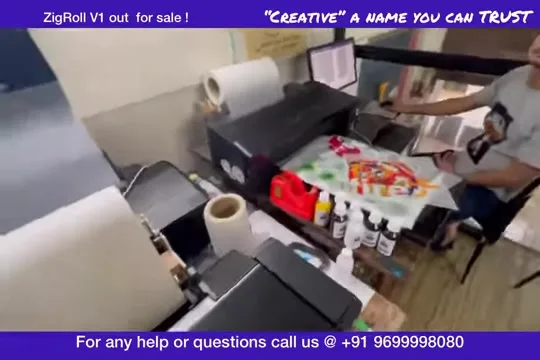
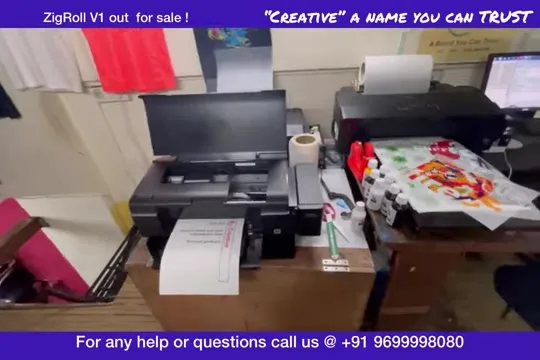
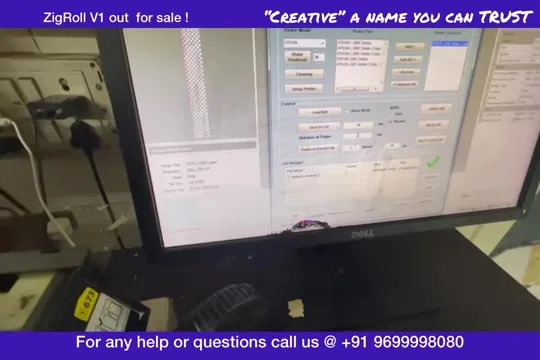
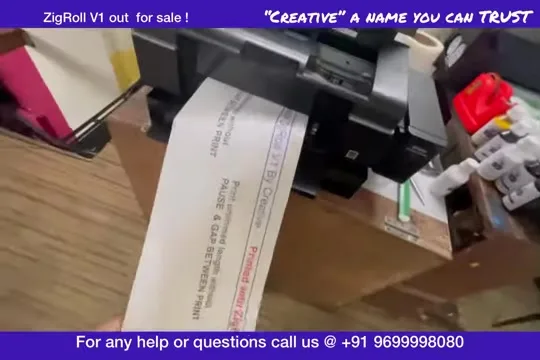
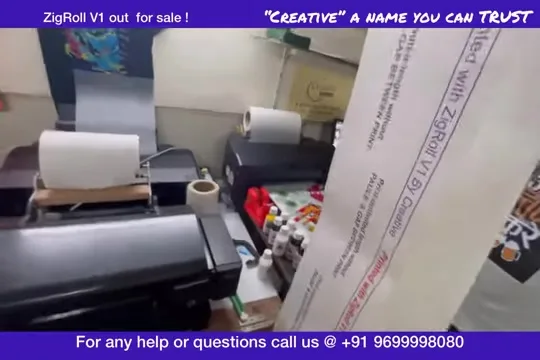
Nothing modified, nothing hidden: that was the promise on the caption and the reason this one is uncut. A six-tank Epson L805 on the bench, a roll stand behind it, ZigRoll V1 on the monitor, and a lanyard roll coming out the front while DTF sticker sheets dry beside it. Same software, DTF or sublimation, on the L805 or L1800. The audio on the upload is rough, so this is written from what is on screen.
What the video shows
- 0:01 — Uncut, no modifications: the point of the video
- 0:44 — Six-tank Epsons print rolls with software alone
- 1:24 — What you need: roll stand, software, the printer
- 2:04 — Loading the roll
- 2:49 — Software screen: load, feed, job
- 3:49 — Printing starts; the roll runs
- 5:27 — Not a forward-reverse module; when you would need one
- 6:48 — Settings dialog on screen
- 8:03 — Lanyard roll exiting the printer
- 9:17 — The L800 / L805 on the bench
- 11:46 — Reloading for the next job
- 14:14 — Printed roll held up
Why six-tank Epsons
The L805, L1800 and their six-tank cousins have a paper path that will carry a continuous roll if the software never lets the printer finish a page. ZigRoll does exactly that, so sublimation lanyard rolls and DTF transfer rolls both run from the same printer. DTF needs the white tanks and a RIP; sublimation needs neither.
What you need
The printer, a roll stand so the film unwinds without pulling, and the software. No module. If you need to reverse the film you need a forward-reverse module; for printing forward and ejecting to cut, you do not, and in 2021 I advised against the modules sold at the time.
The lanyard roll
The long strip coming out of the printer is a sublimation lanyard roll, printed continuously, ready to press onto the lanyard tape. Beside it the DTF transfer sheet with the cartoon design shows the same printer doing the other job on another day.
Today
For DTF rolls on the L18050, L8050, L1800, L805 and L8180 the software is ZiggRoll V4; for sublimation, photo and lanyard rolls with no RIP it is SubliPhoto, and the lanyard clip with IVFO and vacuum is here. The roll stand is here.
Frequently asked questions
Can a stock Epson L805 print rolls?
Yes, with roll software such as ZigRoll; the printer path carries a continuous roll if the software never ends the page.
DTF and sublimation on the same printer?
Different inks, so one printer per ink. The same software runs both.
Do I need a forward-reverse module?
Only to reverse the film. For forward printing and eject-to-cut, no.
What is the current software?
ZiggRoll V4 for DTF, SubliPhoto for sublimation and lanyards.
Related guides
Lanyards or transfers on an Epson?
Tell me the printer and the ink on WhatsApp and I will say which ZiggRoll you need.
WhatsApp +91 86555 56060More videos: Roll printing software (ZiggRoll, SubliPhoto, Powerhouse)
- ZiggRoll V4 Now Runs DTF Rolls on the Epson L18050 and L8050: No Tape, No Paper Error
- Roll Printing on a Stock Epson L8050: No Modification, No RIP, Just ZiggRoll SubliPhoto
- The Clip That Started ZiggRoll: Roll Printing on a Stock Epson L1800 at a 2023 Exhibition
- Printing a DTF Roll on the L18050 with ZiggRoll V4 and AcroRIP 11.2: The Full Walkthrough
- ZiggRoll SubliPhoto in Studio Mode: Continuous Sublimation Rolls on Unmodified Epson Printers
- ZigRoll, Every Function Live and Uncut: Roll Printing on a Plain Epson L1800 with No Module