The Clip That Started ZiggRoll: Roll Printing on a Stock Epson L1800 at a 2023 Exhibition
Published 11 May 2023
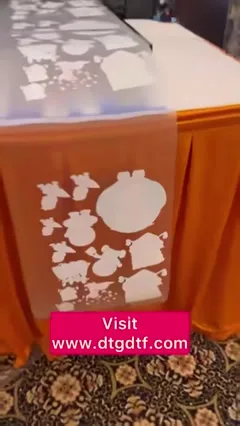
This is where ZiggRoll started in public: a trade-show booth in May 2023, an Epson L1800 with no hardware changes, and a roll of DTF film coming off the table. No voice-over, just captions, and 90,000 people watched it. I am writing it up because people still ask whether the L1800 can print rolls without being modified. It can, and this clip is the proof. Here is what each caption meant then and what has changed since.
What the video shows
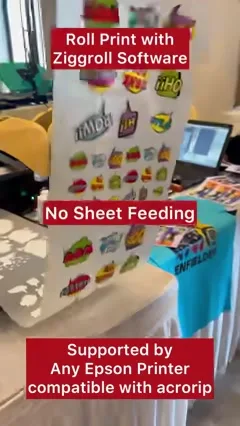
- 0:02 — Roll print with ZiggRoll software: no sheet feeding
- 0:11 — No paper wastage
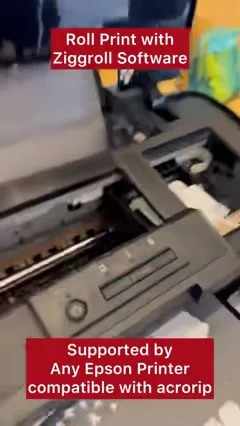
- 0:16 — Supported by any Epson printer compatible with AcroRIP
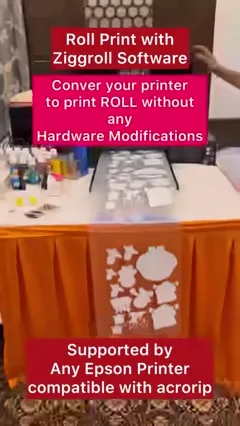
- 0:21 — Convert your printer to print roll without any hardware modifications
- 0:35 — Visit dtgdtf.com
"No sheet feeding, no paper wastage"
Before this, roll printing on a desktop Epson meant either cutting the roll into sheets and feeding them one by one, or opening the printer and rebuilding the feed. Both waste film: every sheet needs a leading margin, and every reload risks a skew. The first ZiggRoll let the printer pull film from a roll continuously, so a gang sheet of stickers like the one on the booth table printed as one strip.
"Any Epson printer compatible with AcroRIP"
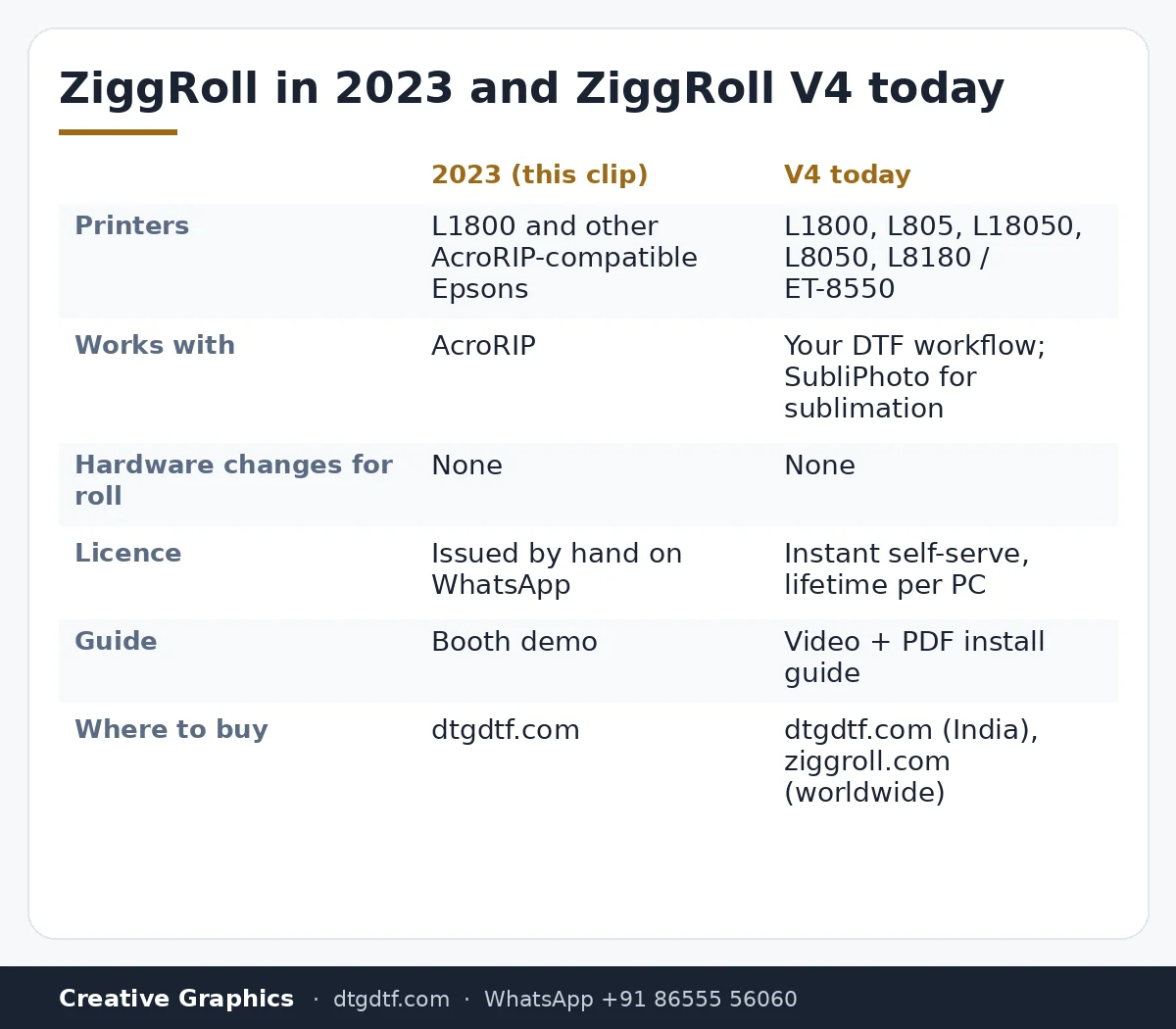
The 2023 version sat alongside AcroRIP: if your printer already printed DTF through AcroRIP, ZiggRoll added the roll handling. On the booth that printer was an L1800, the most common converted DTF printer in India at the time. The list has grown since: today ZiggRoll V4 supports the L1800, L805, L18050, L8050 and L8180 / ET-8550.
"Without any hardware modifications"
This caption is the one that mattered. The feed was handled in software, so a printer that was already converted for DTF ink did not need a second round of mechanical work to run rolls. The same idea later became SubliPhoto for sublimation and photo rolls, which runs on a completely stock L8050 or L18050 with no RIP at all; that demo is here.
What it became
The software in this clip was version one, licensed by hand through WhatsApp. Two years on, ZiggRoll V4 is the current release: lifetime licence per PC, instant self-serve activation from your account on dtgdtf.com or ziggroll.com, and a video plus PDF guide. The L18050 and L8050 launch clip is written up here. If you still run an L1800, V4 is the version for you; the printer still needs its DTF conversion first.
Frequently asked questions
Can a stock Epson L1800 print rolls?
With ZiggRoll, yes, as the clip shows. The printer must already be converted for DTF ink; the roll feeding is handled by the software.
Which version is this clip?
The first ZiggRoll, May 2023, which worked alongside AcroRIP. The current version is ZiggRoll V4.
Which printers does ZiggRoll V4 run on?
Epson L1800, L805, L18050, L8050 and L8180 / ET-8550, converted for DTF.
Is it for sublimation too?
For sublimation and photo rolls use ZiggRoll SubliPhoto, which needs no printer modification and no RIP.
How do I get the licence?
Buy on dtgdtf.com or ziggroll.com, install V4, upload the request file from your account, and the licence is issued instantly by email.
Related guides
- Starting a DTF Printing Business in India — Real Cost Breakdown
- DTF Printer Buying Guide — What to Look For (and Avoid) in India
Still printing sheets on an L1800?
Tell me your printer and RIP on WhatsApp and I will confirm whether V4 runs on it before you buy.
WhatsApp +91 86555 56060More videos: Roll printing software (ZiggRoll, SubliPhoto, Powerhouse)
- ZiggRoll V4 Now Runs DTF Rolls on the Epson L18050 and L8050: No Tape, No Paper Error
- Roll Printing on a Stock Epson L8050: No Modification, No RIP, Just ZiggRoll SubliPhoto
- Printing a DTF Roll on the L18050 with ZiggRoll V4 and AcroRIP 11.2: The Full Walkthrough
- ZiggRoll SubliPhoto in Studio Mode: Continuous Sublimation Rolls on Unmodified Epson Printers
- ZigRoll, Every Function Live and Uncut: Roll Printing on a Plain Epson L1800 with No Module
- Stop the Sheet-Feeding Madness: Why Roll Printing on Your Epson Beats Feeding Sheets One by One