ZigRoll, Every Function Live and Uncut: Roll Printing on a Plain Epson L1800 with No Module
Published 3 October 2021
October 2021, a well-used Epson L1800 on the bench with no module, no forward-reverse kit, nothing added, and the first ZigRoll running it. I wanted a video with no cuts so nobody could say the roll feature was faked, so here are 17 minutes of it printing two metres of roll non-stop while I go through every button. The software has moved on to V4 since, but the functions you see here are the same ones you use today.
What the video shows
- 0:01 — Open ZigRoll: with dongle or without; find your printer
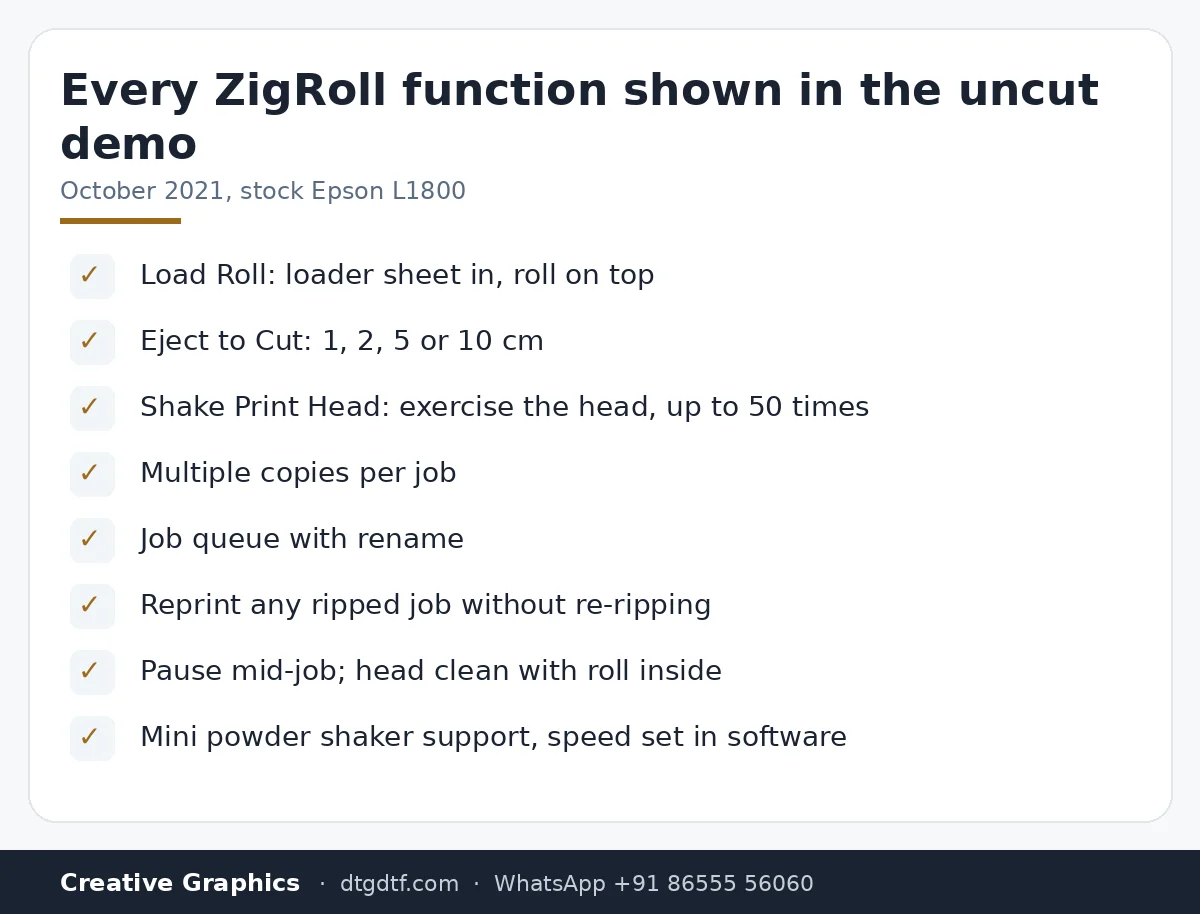
- 0:17 — Load Roll: the sheet goes in; feed the roll on top, keep it wound loose
- 1:10 — Eject to Cut: 5 or 10 cm; remove the extra paper, keep it straight
- 1:51 — Add a job from AcroRIP at 720 dpi to the ZigRoll virtual printer
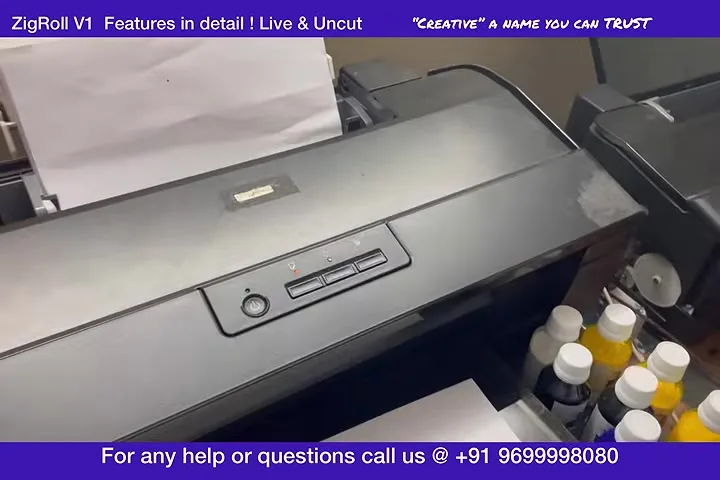
- 2:33 — The job lands in ZigRoll: Start Job; multiple copies
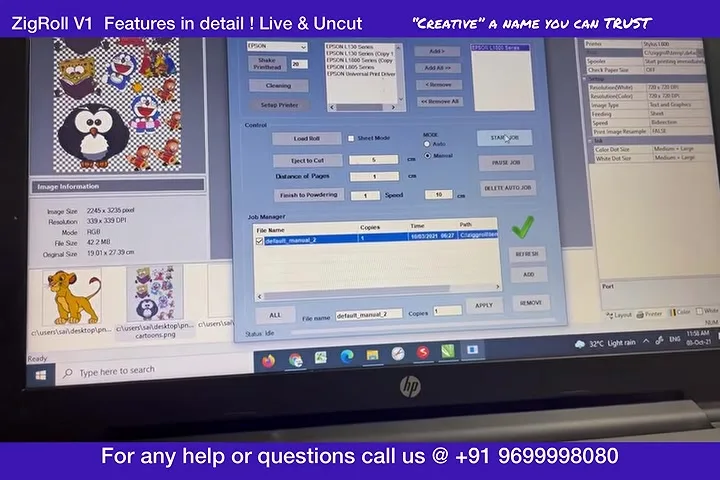
- 3:32 — No module, no forward-reverse: a plain, well-used L1800
- 4:48 — The premium channel I promised: every head-cleaning method
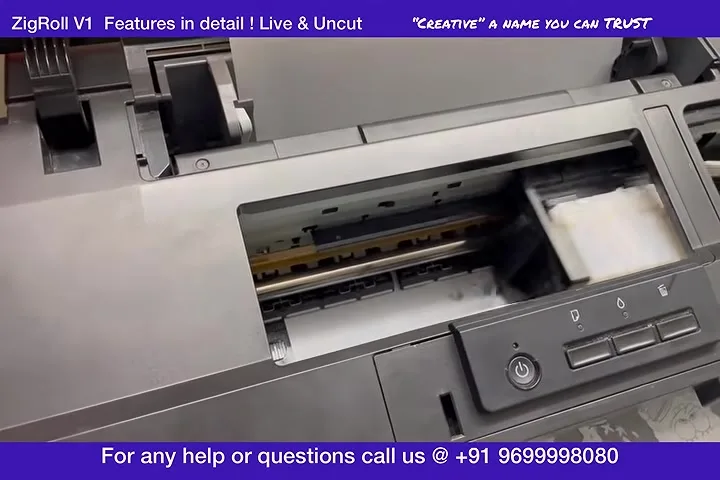
- 5:34 — Shake Print Head: checks the head without feeding or printing, up to 50 times
- 6:11 — Eject to Cut again: take the sheet out and cut it
- 6:44 — Queue a second job; rename jobs (default manual 1, 2, 3)
- 7:47 — Reprint the first job twice without ripping again
- 8:42 — Add a PNG from the desktop; pause; mini powder shaker support
- 10:12 — Rip once, store, print; saves ripping time
- 10:47 — Non-stop: 10 to 15 jobs a day on roll; otherwise sheet
- 11:21 — Online purchase coming; every video public, nothing hidden
- 11:41 — Pause mid-job; head clean with the roll inside
- 12:48 — Two metres printed non-stop; if you need to reverse, you need a module
- 13:09 — Do not waste money on modules; they are not stable
- 14:00 — Roll waste when taking the print out without a module
Load Roll
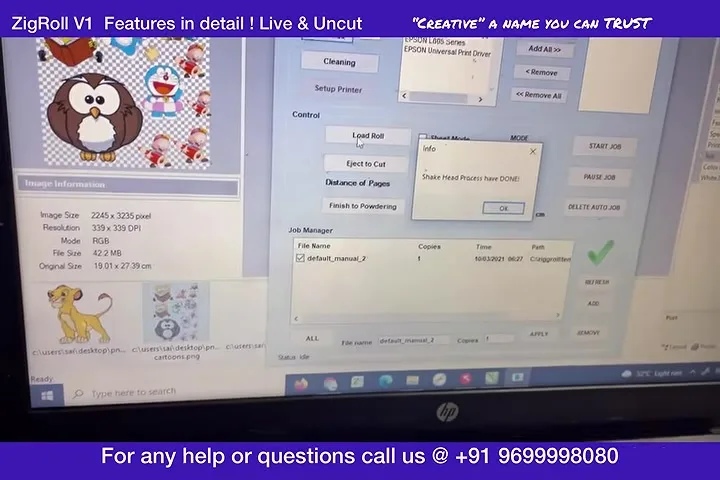
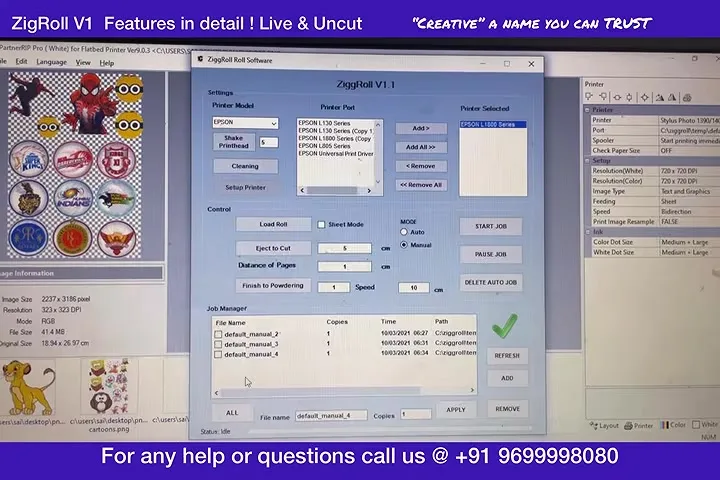
Open ZigRoll, choose with-dongle or without, pick your printer (EPS 1800 on mine), and hit Load Roll. The printer pulls the loader sheet in; if it does not take it the first time, hit it again. Then feed the roll on top of that sheet, keep a little of the roll wound loose so it feeds easily, choose 5 or 10 cm and click Eject to Cut. The printer pulls the roll in. Remove the extra paper, make sure it is straight.
Add a job
In AcroRIP I had a few jobs ready at 720 dpi. Select the ZigRoll virtual printer (if it does not appear, tell us and we fix it) and print. The job lands in ZigRoll. Click it, Start Job. You can set two, three, any number of copies; for the demo I printed one and kept adding jobs behind it.
This printer has nothing added
No module, no forward-reverse kit. It is not even a new printer; it is our trial L1800 that has done a lot of prints. That is the point of the uncut video: ZigRoll runs the roll in software.
Shake Print Head
If you want to check the inks in the dampers or wake the head, Shake Print Head moves the head without feeding paper or printing anything. Set it to 5, 50, whatever. In the video you can see the head moving and nothing else happening.
Eject to Cut, queue, rename, reprint
Printed one image and want it out? Eject to Cut by 1, 2 or 5 cm, cut the sheet, and carry on. Jobs queue as default manual 1, 2, 3; rename them if you want. Reprinting the first job twice means clicking it, setting two copies, Start: no re-ripping. Rip once, store, print. That is where the time saving is.
Pause, head clean, powder shaker
You can pause a job, and you can run a head clean while the roll is inside. If you have a mini powder shaker, ZigRoll supports it and the speed is set in the software. Everything is software-controlled.
Two metres, non-stop
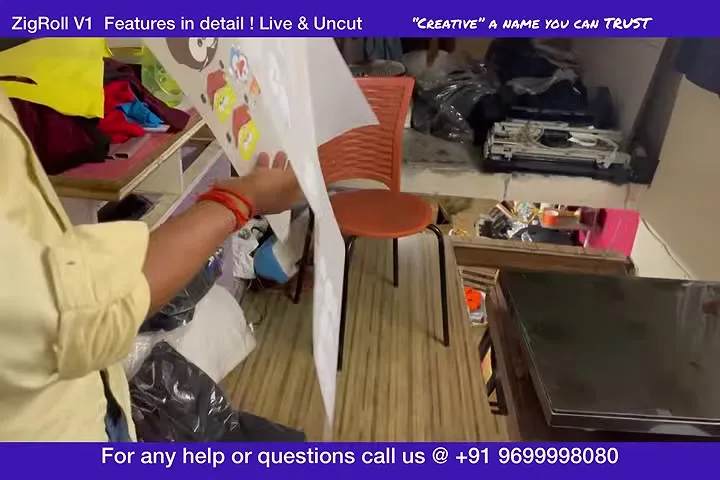
By the end about two metres of roll had printed without a stop. Where you do lose roll is when you take the print out: without a module there is a length you cannot recover, and the video shows how much. If you need to reverse the paper, then yes, you need a module. Otherwise do not waste money and time on modules; at the time they were not stable.
What became of this
In 2021 ZigRoll was installed by us; today ZiggRoll V4 is bought online (₹2,542.37 + GST in India), activated instantly from your account, and runs the L1800, L805, L18050, L8050 and L8180 / ET-8550. Load Roll, Eject to Cut, copies, queue and reprint are all still there. For sublimation and photo rolls there is now SubliPhoto, which needs no printer change at all. We did say in 2021 that every video would be public and nothing hidden; that is still how we do it.
Frequently asked questions
Does ZigRoll need a forward-reverse module?
No. The 2021 demo runs a stock L1800 with nothing added. You only need a module if you must reverse paper, and we advise against it.
What is Shake Print Head?
A function that moves the head to exercise it and check the dampers without feeding paper or printing.
Can I reprint a job without ripping again?
Yes. Jobs stay in ZigRoll ripped; click and print with any number of copies.
Can I clean the head with the roll loaded?
Yes. Pause the job and run a head clean; the roll stays inside.
How much roll do I waste?
None while printing. Some length is lost when you take the print out without a module; the video shows it.
Is this the current version?
No. This is ZigRoll V1 from 2021; the current version is ZiggRoll V4 with the same core functions and instant online licensing.
Related guides
- Starting a DTF Printing Business in India — Real Cost Breakdown
- DTF Printer Buying Guide — What to Look For (and Avoid) in India
Still on an L1800?
Message your printer and RIP on WhatsApp and I will confirm V4 runs on it.
WhatsApp +91 86555 56060More videos: Roll printing software (ZiggRoll, SubliPhoto, Powerhouse)
- ZiggRoll V4 Now Runs DTF Rolls on the Epson L18050 and L8050: No Tape, No Paper Error
- Roll Printing on a Stock Epson L8050: No Modification, No RIP, Just ZiggRoll SubliPhoto
- The Clip That Started ZiggRoll: Roll Printing on a Stock Epson L1800 at a 2023 Exhibition
- Printing a DTF Roll on the L18050 with ZiggRoll V4 and AcroRIP 11.2: The Full Walkthrough
- ZiggRoll SubliPhoto in Studio Mode: Continuous Sublimation Rolls on Unmodified Epson Printers
- Stop the Sheet-Feeding Madness: Why Roll Printing on Your Epson Beats Feeding Sheets One by One