White Not Printing After a Few Days Off? Manual Head Flush and Metal-Mesh Dampers on the L1800 / L805
Published 20 October 2021
I left this L1800 off for three or four days and it came back printing no white. Head cleaning from the printer did nothing. So instead of pretending that never happens, I filmed the fix: syringe and IV tube into each channel, the clogged original dampers out, metal-mesh dampers in, then a power flush. Twenty minutes, October 2021, and the same method I still use on any converted Epson. Here it is in English.
What the video shows
- 0:00 — Off for 3 or 4 days: no white. Printer head-clean did not help
- 0:47 — The plan: power flush, and change dampers while at it
- 0:53 — Original Epson damper vs metal-mesh damper
- 1:30 — What you need: cleaning solution, syringe, a saline IV tube
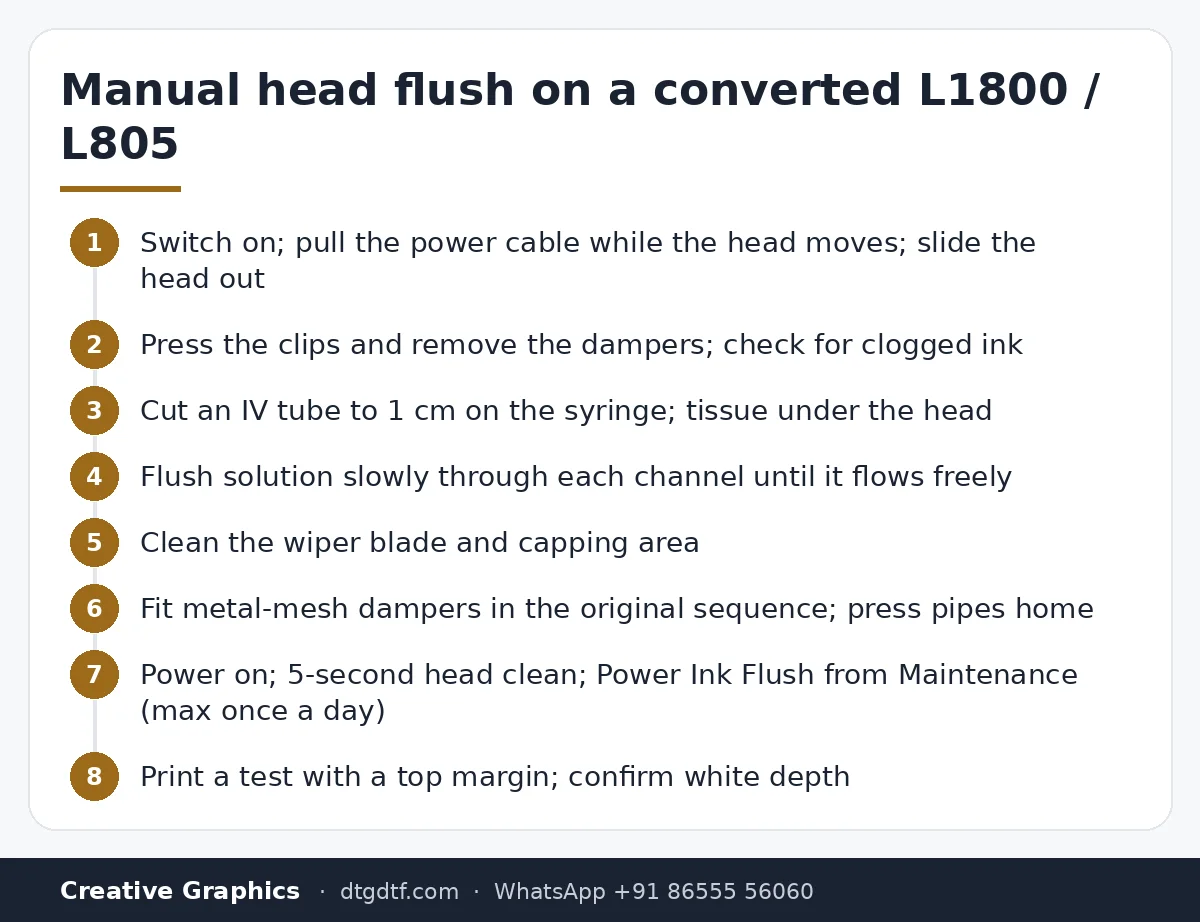
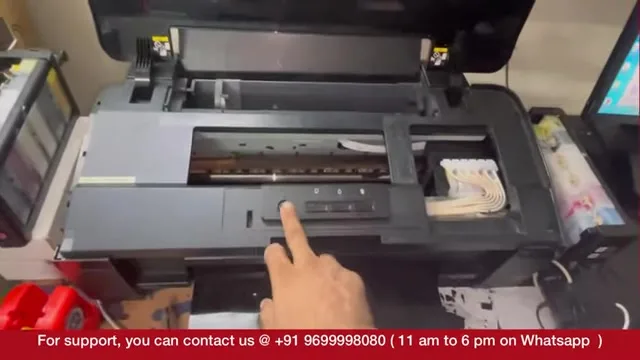
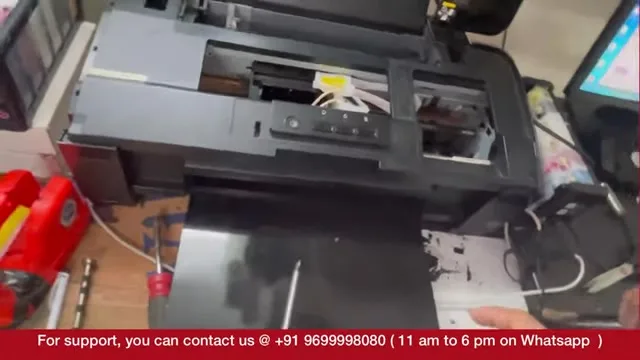
- 2:10 — Free the head: switch on, pull the power cable as it moves
- 2:46 — Press and remove the dampers; ink clogged inside
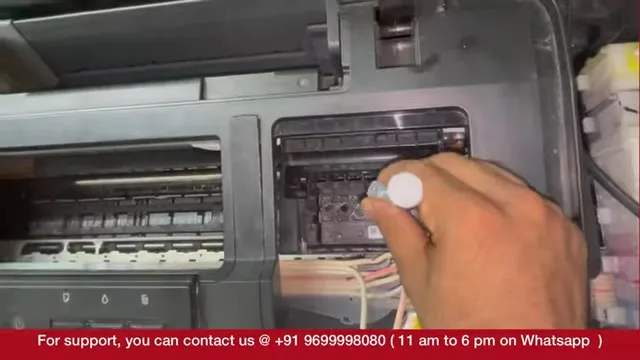
- 3:49 — Cut the IV tube to 1 cm so it presses onto the nozzle
- 4:30 — Tissue under the head; flush each channel; white, black, yellow, cyan open
- 7:26 — Clean the wiper blade and the capping area
- 8:28 — Fit the new dampers in sequence: yellow, black, white, white
- 11:30 — Pipes pressed in properly or they rattle
- 13:45 — Printer on, head clean (hold 5 s), then Power Ink Flush from printer settings
- 15:46 — Power flush once in 24 hours max; watch ink come through the pipe
- 16:53 — Print the same job again: white back, no lines
- 18:38 — Regular dampers every 4 months; dampers cost less than heads
- 19:35 — Scratches on paper, not ink; next video: the white line
What you need
Cleaning solution, a syringe, and the pipe from a saline IV set. That is it. The damper cover on this printer was already off; on yours there is one screw. Use a clean syringe; I admit on camera I keep reusing mine.
Free the head
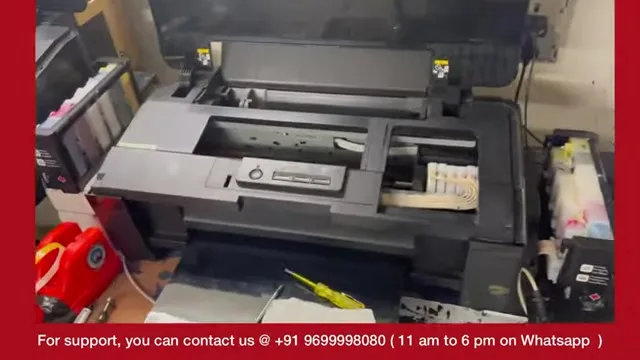
The head is locked when the printer is off. Switch it on, let the head start moving toward the centre, and pull the power cable at the back. Now it slides by hand.
Dampers out
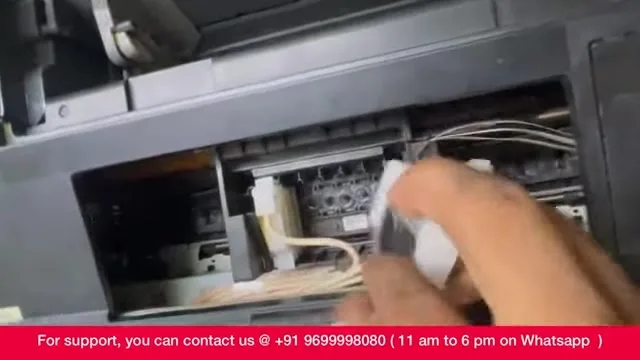
Press the clip and lift each damper off. Hold one up to the light and you will see the ink clogged inside; that is why there was no white. The mesh in the original Epson damper is designed for Epson inks, not pigment-heavy DTF white, which is why I switch to metal-mesh dampers.
Flush every channel
Cut the IV tube to about a centimetre so it presses straight onto the nozzle inlet. Fold tissue onto the ink chamber below, slide the head over it, and push solution slowly through each channel. If it goes down without resistance, the channel is open. In the video: white open, black open, yellow open, cyan open. Draw a little white back into the syringe and flush again to be sure. Then lift the wiper blade and clean it and the capping area; the blade wipes excess ink off the head, so a dirty blade dirties the head.
Dampers in, in sequence
Fit the new dampers in the same order they came out: yellow, black, white, white on this printer. Press every pipe fully home or the printer makes an annoying rattle. The metal-mesh dampers cannot be primed by hand with this syringe, so the printer's own flush fills them.
Head clean, then power flush
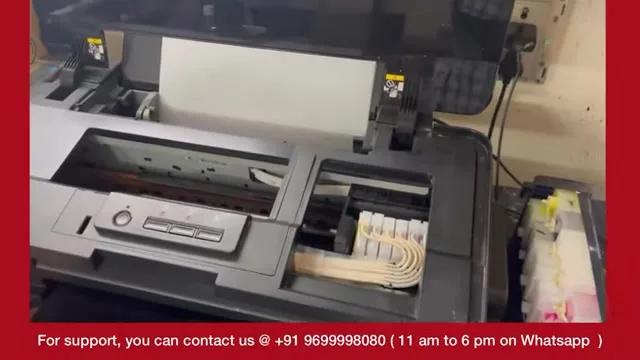
Reconnect power, switch on, hold the button five seconds for an automatic head clean. Then in Windows: the printer's properties, Maintenance, Power Ink Flush. It pulls ink through to the new dampers; watch it come out of the waste pipe. Do a power flush at most once in 24 hours. You can check the damper straight away: the ink is sitting in it, no need to eject anything.
The result, and the habit
I printed the same job from AcroRIP with a good top margin, feeding two or three sheets so the paper does not fade in. White came back, full depth, no lines. The habit that avoids all this: if you use regular dampers, change them every four months. Dampers cost a few hundred rupees; a head costs thousands or dollars. Replace dampers, flush manually when needed, and the head lasts. Today's parts: metal-mesh damper set and cleaning solution. The scratches you see on the test print are on the paper, not from ink; the white line at the edge is the next video.
Frequently asked questions
Why is my converted Epson not printing white after a few days?
The white has settled and clogged the dampers. A head clean will not clear it; flush the channels manually and change the dampers.
What do I need for a manual head flush?
Cleaning solution, a syringe and a saline IV tube cut to about 1 cm.
How do I free the print head?
Switch the printer on and pull the power cable while the head is moving. It then slides by hand.
How often can I do a power flush?
At most once in 24 hours.
Metal-mesh or original dampers?
Metal-mesh for DTF inks. If you keep regular dampers, change them every four months.
In what order do the dampers go back?
The same order they came off. On the L1800 in the video: yellow, black, white, white.
Related guides
- DTF Ink Storage in Indian Humidity — Practical Guide
- Why Do DTF Prints Peel After Washing? Real Fixes
White still not coming?
Send a photo of the nozzle check on WhatsApp and we will tell you whether it is dampers, head or ink.
WhatsApp +91 86555 56060