The Embroidery Look on a Flat DTF Print, From Photoshop in One Click: Plugin, Print, Press
Published 17 January 2025
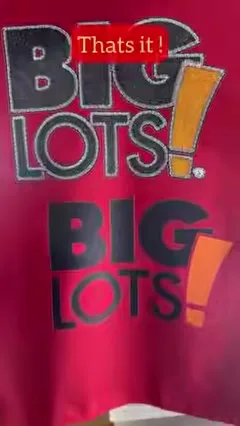
Embroidery sells. It also costs a machine, a digitiser and a minimum quantity. This clip shows the other route: open the logo in Photoshop, apply the embroidery effect with one click, adjust colour and depth, export for DTF, print, press. The BIG LOTS tee at the end reads as stitched from a metre away. Fifty-four seconds, and the honest limits are below.
What the video shows
- 0:00 — The master-class poster: one-click embroidery effect in DTF
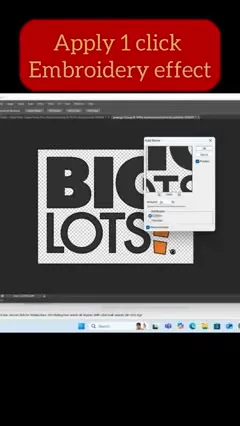
- 0:06 — Apply the effect in Photoshop
- 0:11 — The plugin converts the design to stitches automatically
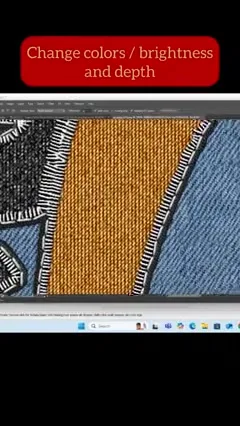
- 0:15 — Change colours, brightness and depth
- 0:24 — Export for DTF printing
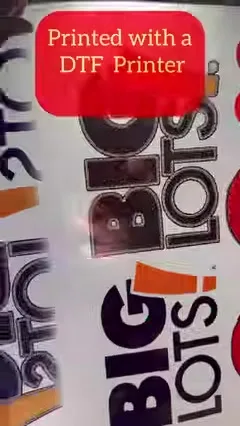
- 0:29 — Printed on a DTF printer
- 0:33 — Heat transfer onto the tee
- 0:47 — Online master class: every Sunday, 30 minutes one-to-one
One click
Open the flat logo, run the plugin. It rebuilds each colour area as satin stitches with direction, thread highlights and a visible edge. Then you adjust: thread colours, brightness, and depth, which controls how much shadow sits between the stitches. The result is a flat raster file with the look of embroidery.
Print and press
Export at print size for DTF, print on any DTF printer, powder, cure, press. The transfer is flat, so it washes like any DTF print and does not pucker thin fabric the way real embroidery does.
Honest limits
It is a visual, not stitches. Up close you see a print; at display distance you see embroidery. It suits logos, letters and badges with solid colour areas, not photographs. For a raised feel, combine with puff powder; that study is in the latex TPU post and the process comparison.
Training
Every Sunday there is a 30-minute one-to-one online session on Google Meet for this plugin and the DTF workflow around it. Message to book. Tees for the samples came from our own custom printing.
Frequently asked questions
Is the DTF embroidery effect real embroidery?
No. It is a printed stitch look. From display distance it reads as embroidery; up close it is a print.
What software?
Photoshop with the embroidery plugin; one click, then colour, brightness and depth controls.
Which designs work best?
Logos, letters and badges with solid colour areas. Not photographs.
Is there training?
Yes, 30-minute one-to-one online sessions on Sundays.
Related guides
Want the plugin or the Sunday session?
Message on WhatsApp with a logo and I will send back what it looks like with the effect.
WhatsApp +91 86555 56060More videos: Starting and running a DTF business
- DTF Facts from the 2021 Expo Booth: The Process, What Inks Change, and Why You Don't Need a Vacuum
- DTF Explained in 2021: One Process for White and Dark Tees, and What the Setup Cost Is Made Of
- How to Start a DTF Business: L805, L1800 or a 12 / 24-Inch Industrial? The 2021 FAQ, Answered Again
- Black Book and Project Book Binding From Scratch: Gold Embossing on Rexine, Then Bind It in Five Minutes
- Start a T-Shirt Printing Business, or Scale One: Basic Setup to Bulk Production With DTF, UV and DTG
- DTF Explained for Hindi Viewers, in English: The Process, the Three Printer Options, and the Accessories You Actually Need