The AcroRIP 9 Settings I Used on the L1800 and L805 in 2021: Resolution, Dot Size, White Control, Repeat
Published 13 October 2021
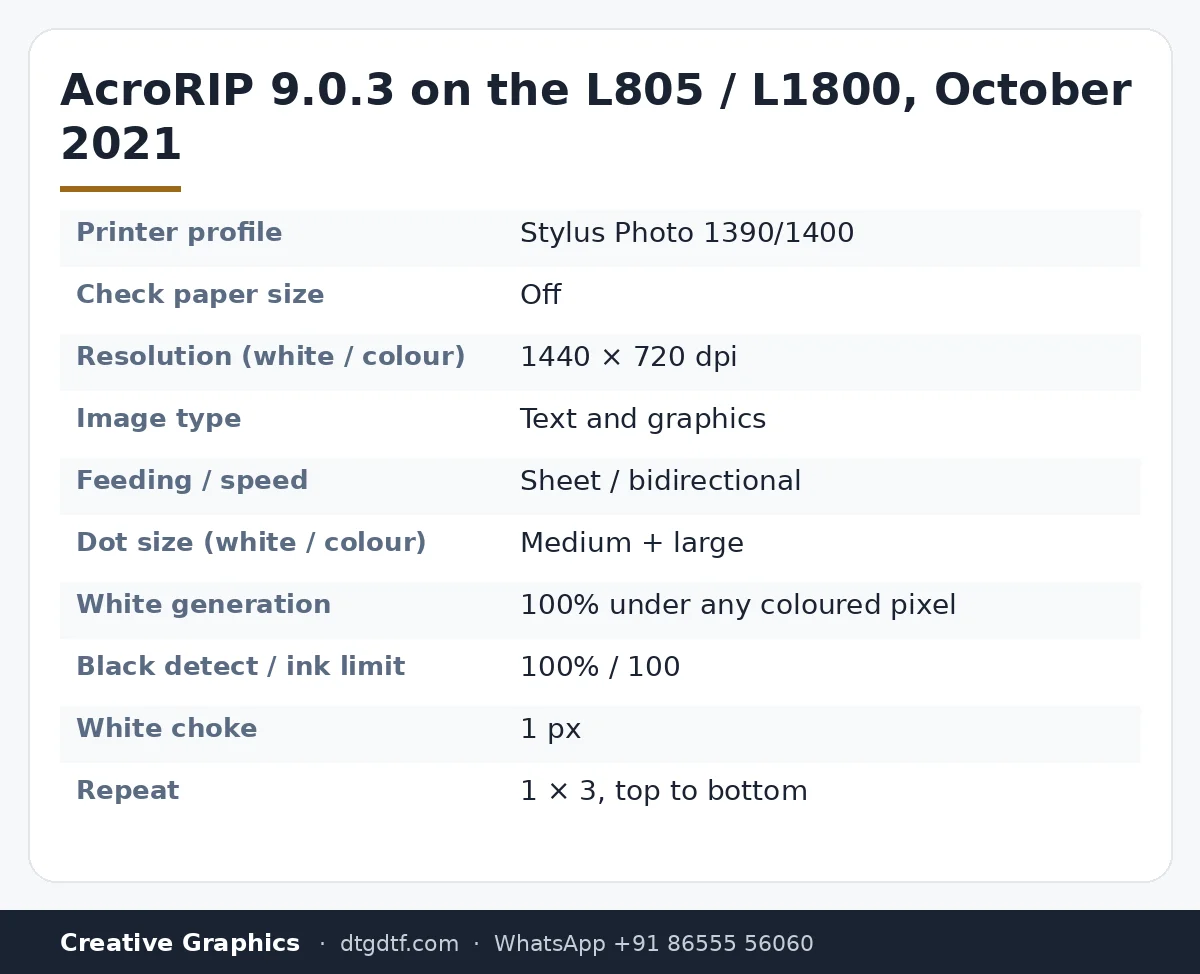
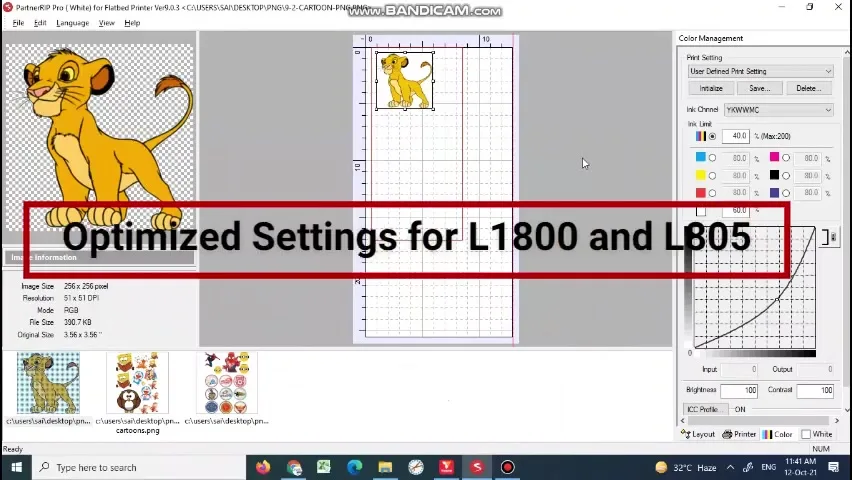
This was the most-watched settings video on the channel, and the audio on the upload is close to useless, so I have done what I should have done in 2021: read every value off the screen and written it down. AcroRIP 9.0.3, an Epson L805 on the USB port, a Simba cartoon as the test file. These are the settings the printer ran on all day. The reasons are below, and the 11.2 equivalents are linked at the end.
What the video shows
- 0:00 — Colour management: the CMYK curve
- 1:00 — Printer panel: Stylus Photo 1390/1400 profile, L805 on USB
- 2:00 — Resolution 1440 × 720 for white and colour; text and graphics
- 3:00 — Sheet feeding, bidirectional, mirror off; medium + large dot
- 4:00 — Colour panel: channels and curve
- 5:00 — White ink control: 100 percent under any coloured pixel
- 6:00 — Black detect 100 percent; no white highlight; ink limit 100
- 7:00 — White choke 1 px
- 8:00 — Layout: paper size, copies, repeat 1 × 3, spacing
- 9:00 — Back to the printer panel and the curve
Printer panel
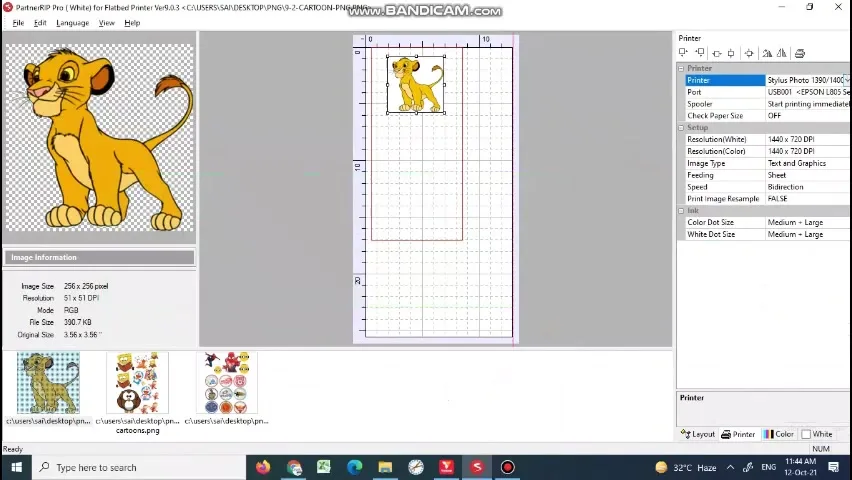
AcroRIP 9 had no L805 or L1800 entry, so the profile is Stylus Photo 1390/1400, with the port pointing at the EPSON L805 on USB. Start printing immediately. Check paper size: off, always, or the printer tries to measure transparent film and refuses it. Resolution 1440 × 720 dpi for both white and colour. Image type: text and graphics. Feeding: sheet. Speed: bidirectional. Print image mirrored: false, because I mirror in the design file. Colour dot size and white dot size both medium + large.
White ink control
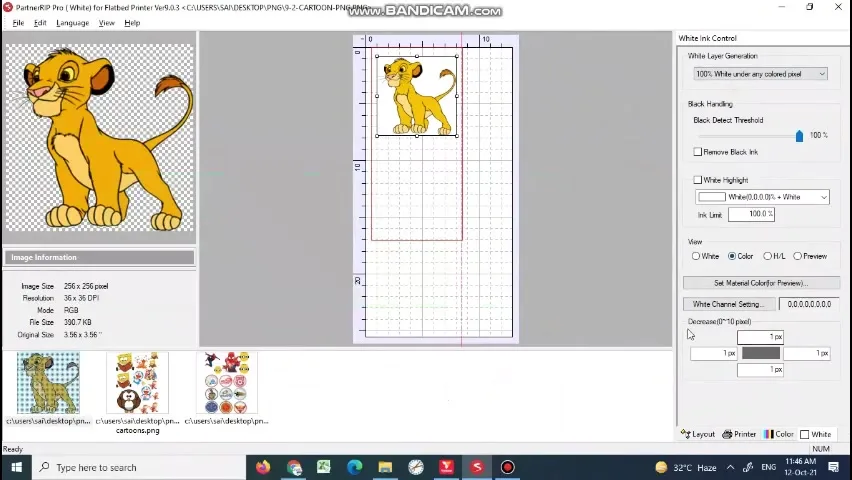
White layer generation: 100 percent white under any coloured pixel. That is for dark garments; for light garments you would pick a gradient option. Black detect threshold 100 percent, remove black ink unticked, white highlight unticked, ink limit 100. Under white channel setting, decrease by 1 pixel: that is the choke, pulling white inside the colour so it does not show at the edges. On the L1800 and L805 one pixel was enough.
Layout and repeat
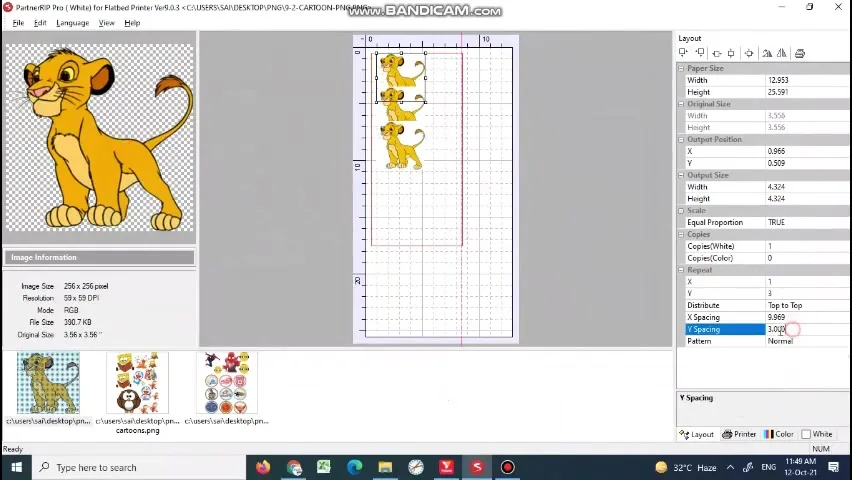
Paper size here is a 12.95 × 25.59 inch custom sheet. Equal proportion true. Copies: the white and colour layers print together, so set copies on the job, not per layer. Repeat 1 across and 3 down, distributed top to bottom, with X spacing about 10 and Y spacing 3 in the units shown, pattern normal. That is how one Simba became three on one sheet without duplicating the file.
Colour management
The curve in the colour panel is where you compensate for a print coming out darker or lighter than the screen. I kept it near linear and adjusted brightness in the design file instead, which is what the colour calibration video is about.
Today
The L1800 and L805 are discontinued and AcroRIP 9 has been replaced by 11.2; the same settings, with ink channel setup for the L18050, are in AcroRIP 11.2 setting by setting. The original software is here; the current printer is the converted L18050.
Frequently asked questions
Which printer profile for the L1800 or L805 in AcroRIP 9?
Stylus Photo 1390/1400, with the port set to your L805 or L1800 on USB.
What resolution?
1440 × 720 dpi for both white and colour, medium + large dot size.
What white setting?
100 percent white under any coloured pixel for dark garments, black detect 100 percent, choke 1 px.
Should check paper size be on?
No. Off, or the printer refuses transparent film.
Do these settings apply to 11.2?
Mostly. See the 11.2 post for ink channel setup and the template.
Related guides
Still on AcroRIP 9?
Message on WhatsApp; the 11.2 upgrade with dongle is in stock and the settings carry over.
WhatsApp +91 86555 56060